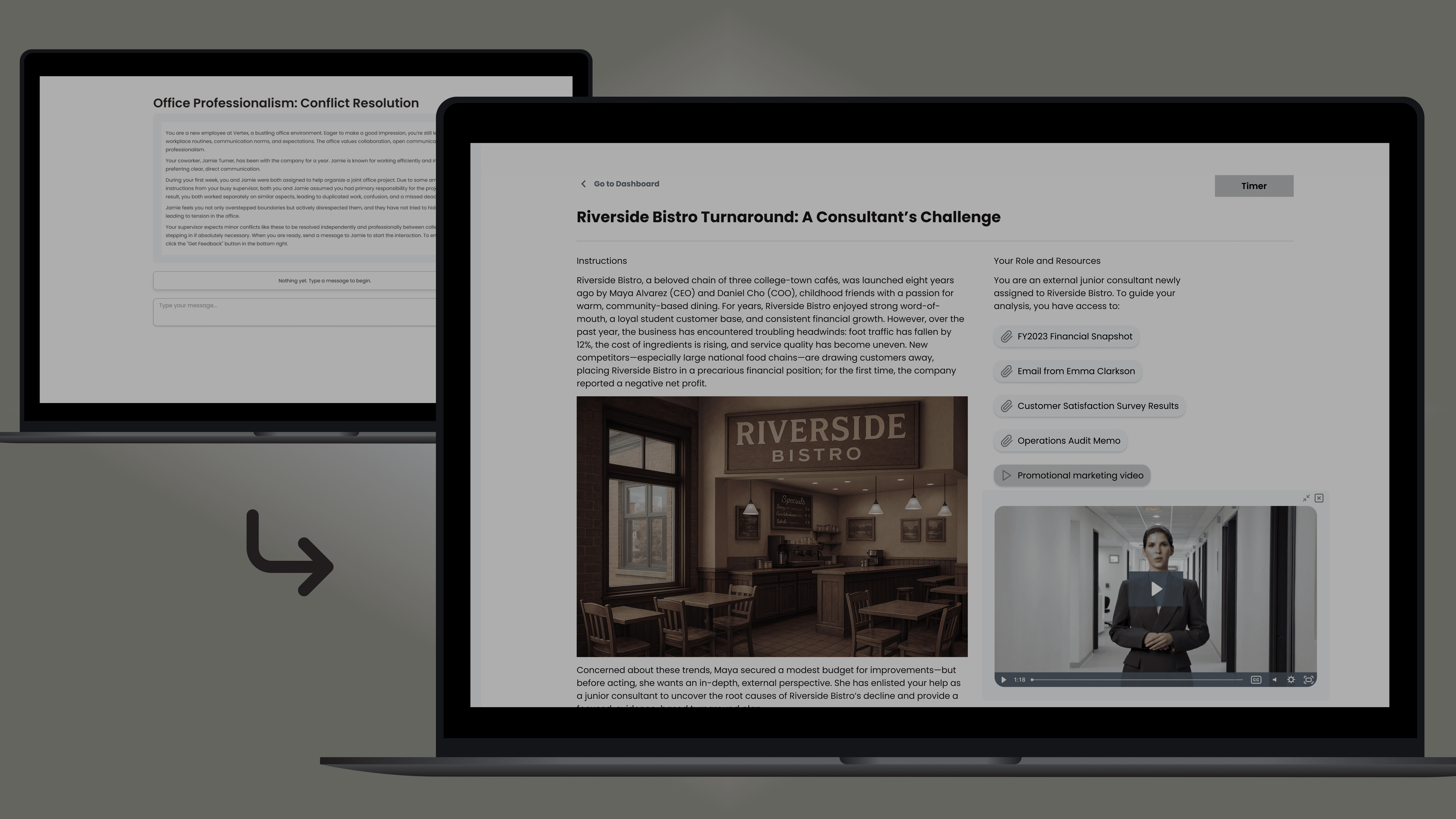
Impact:
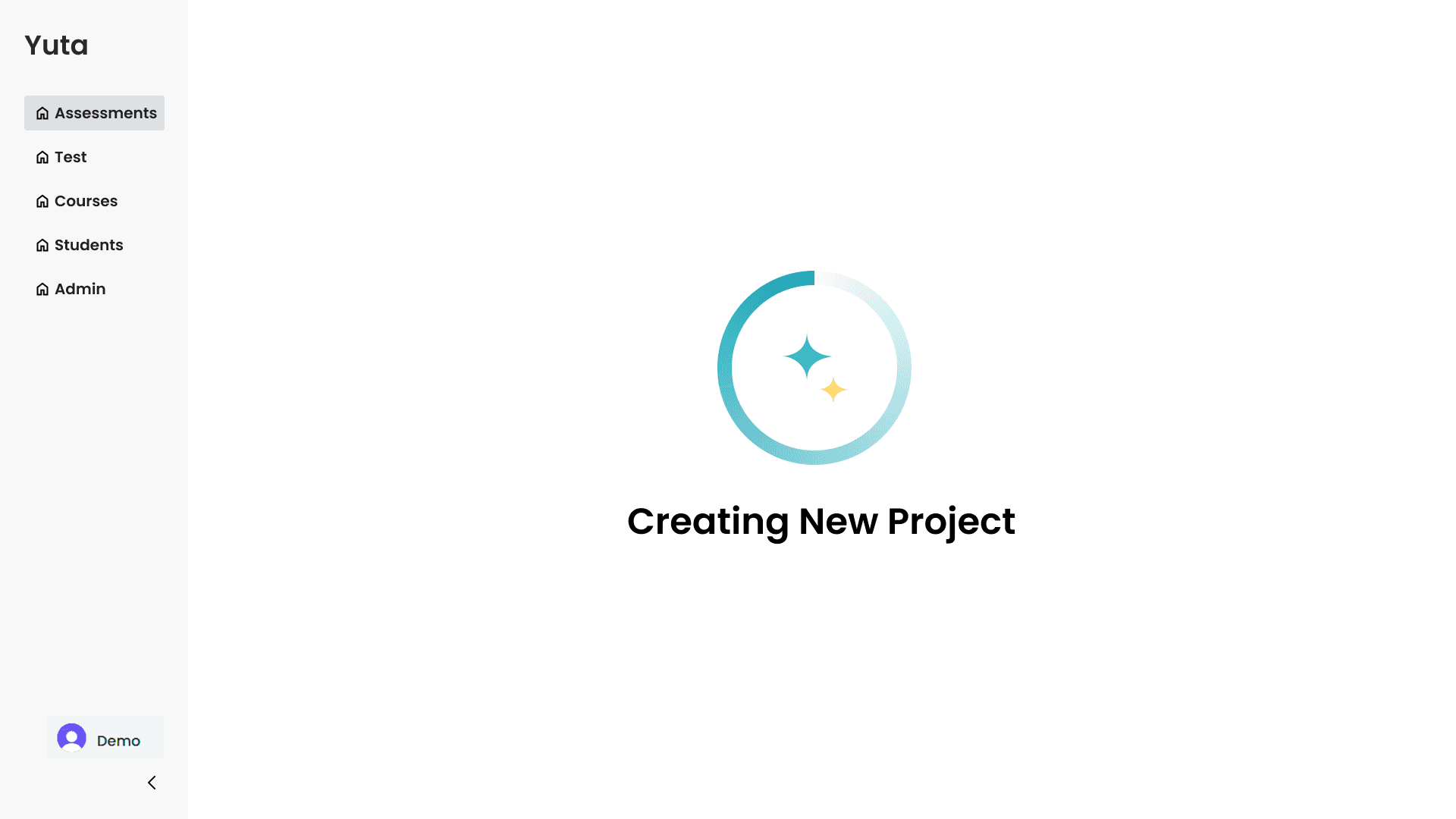
Mitigated cognitive friction in the 'Build' flow by implementing a distraction-free full-screen modal and real-time visual feedback.
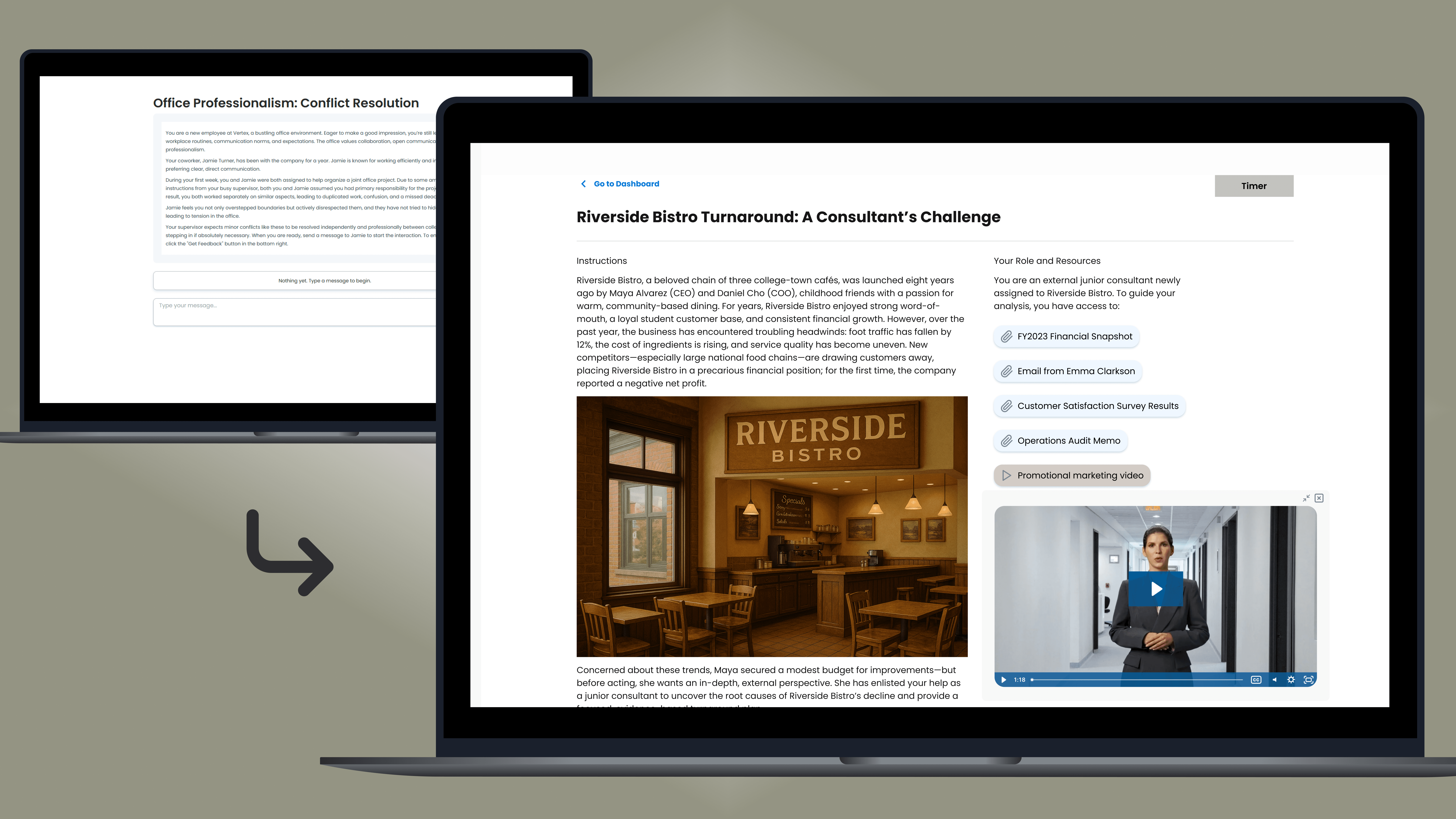
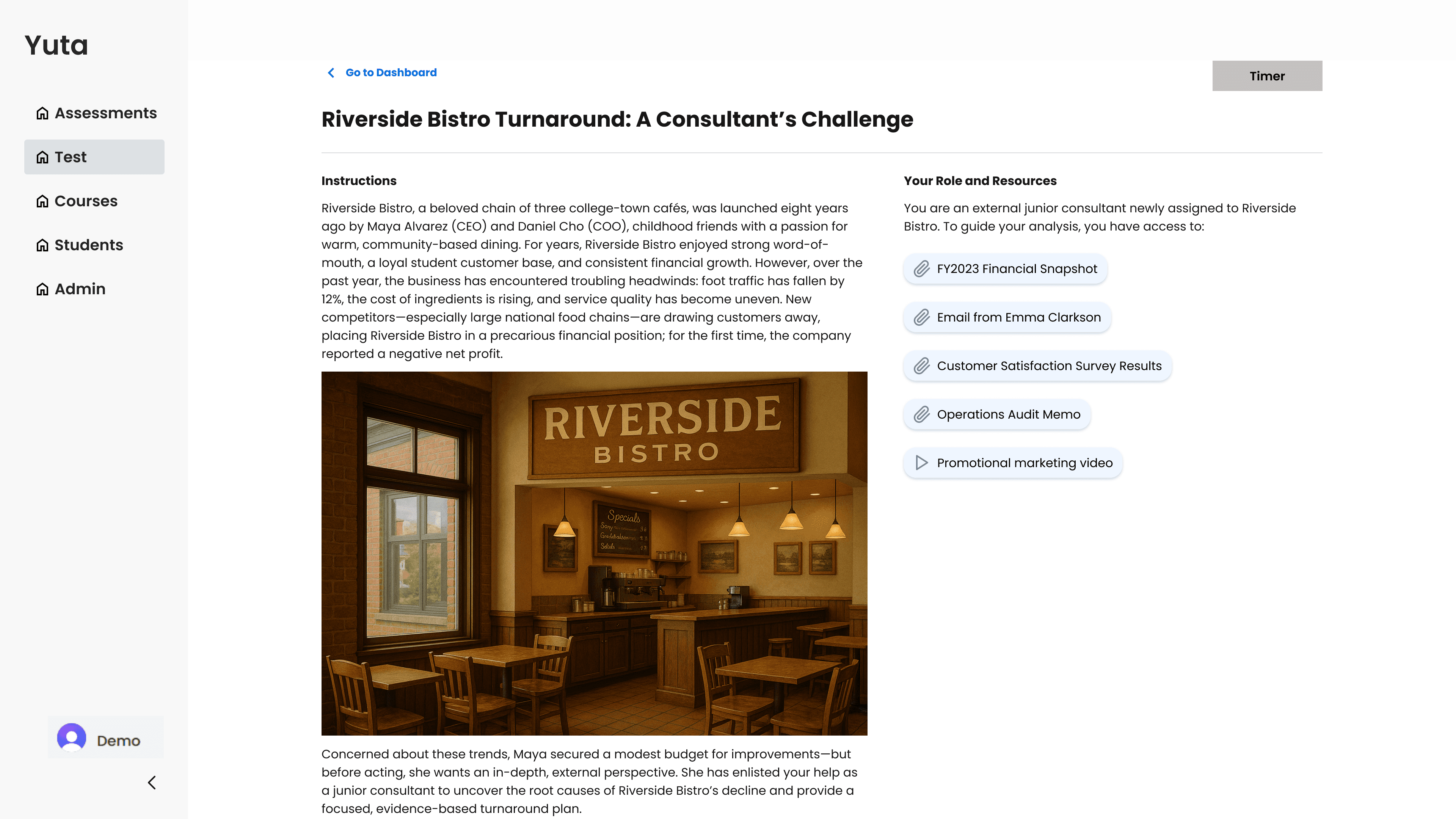
Heightened user focus during the 'test' flow by augmenting dense text with multimedia, creating a more scannable and immersive instructional experience.
Streamlined navigation within the 'Courses' flow by restructuring visual hierarchy and strengthening interactive signifiers.
Type:
Product Redesign
Freelance Contract Project with Ametros Learning Inc.
Role:
UX Designer
Audience:
Ametros’ prospective partners and clients
Team:
William Aung (Me)
Nayhan Karim
Deliverables
Research
Wireframe
Prototype
Iterate
Redesign
Description:
My project partner and I were commissioned by Ametros Learning Inc. to reconstruct their platform, Yuta, as a high-fidelity Figma prototype for stakeholder demonstrations. While the primary objective was a functional replication, the project evolved into a strategic partnership. We were tasked with specific redesigns for the Test and Instructor Management flows, while proactively identifying and implementing further UX optimizations—such as the Build flow—to enhance the platform's overall demo narrative.
Quote from Ametros:
The demo made it easier to walk stakeholders through the product experience step by step, which has saved time when describing functionality and reduced the need for lengthy verbal explanations. The visual flow has also improved clarity, especially for audiences who are newer to the platform or less familiar with the tool. Having this demo has definitely made conversations smoother and more efficient, and it’s been a valuable tool for communicating the product vision.
- Nora Sharp, Director of Operations
Overview and Context
Ametros Yuta acts as an AI-powered guide, working with instructors to define exactly what kind of learning scenario they want to create—no coding or developer intervention required. With Ametros Yuta, instructors can quickly create, deploy, and analyze tailored learning scenarios that adapt to individual needs, dynamically assessing student understanding.
Overall, as of the project completion period, Yuta has five main pages on its nav bar: Build, Test, Courses, Students, and Orgs. In this redesign, my partner and I primarily focused on Build, Test, and Courses.
*Please click to expand*
*Click to scroll to solutions*
Navigating the "Before":
The screens below are the original designs prior to the redesign of the website.
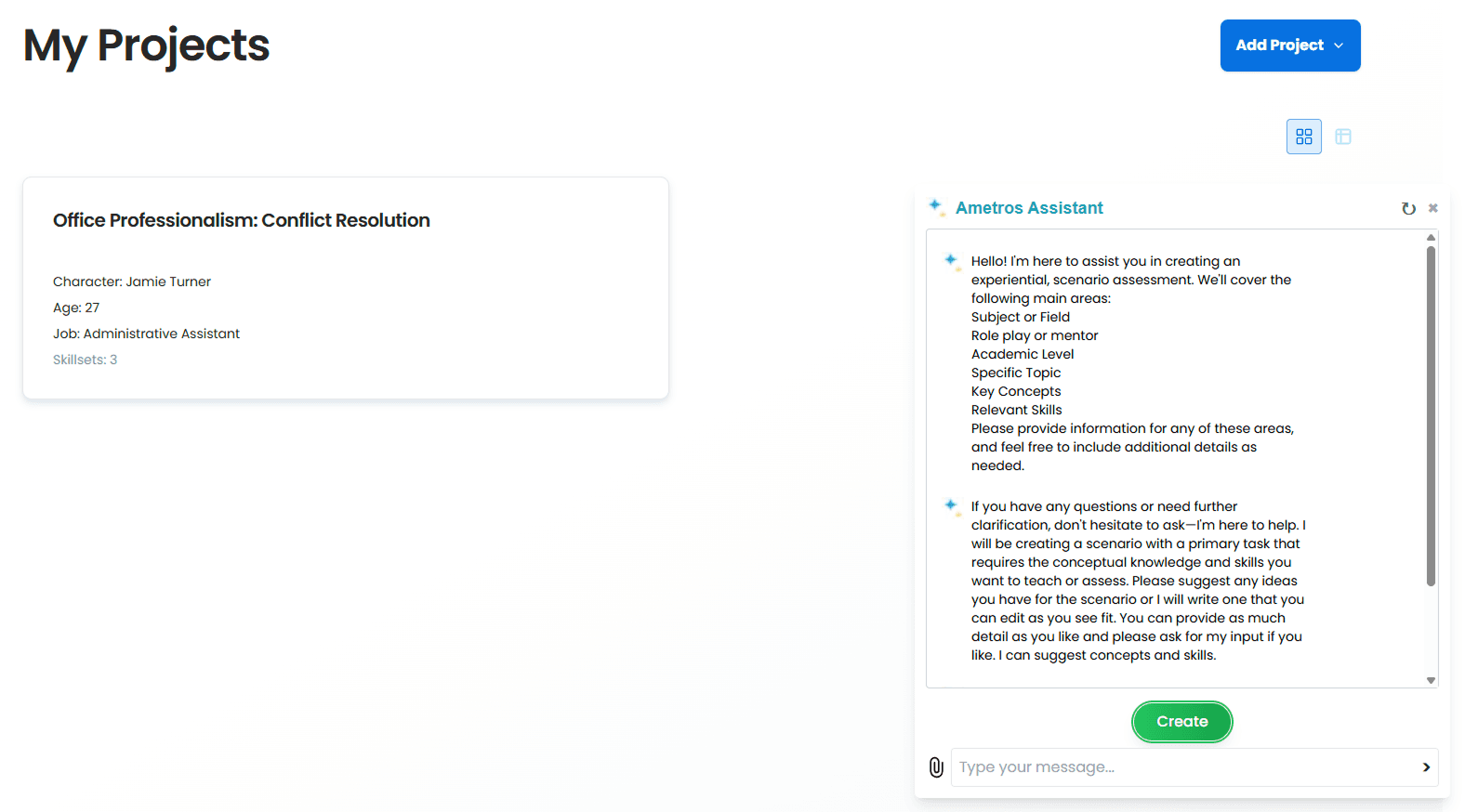
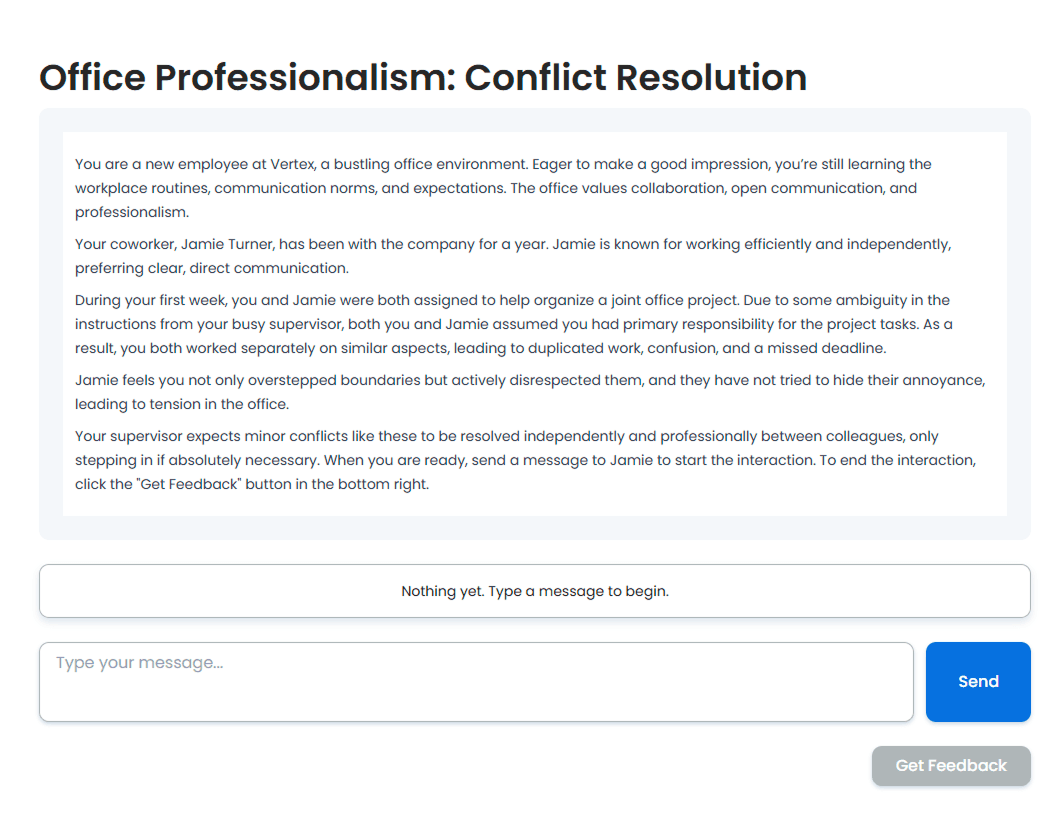
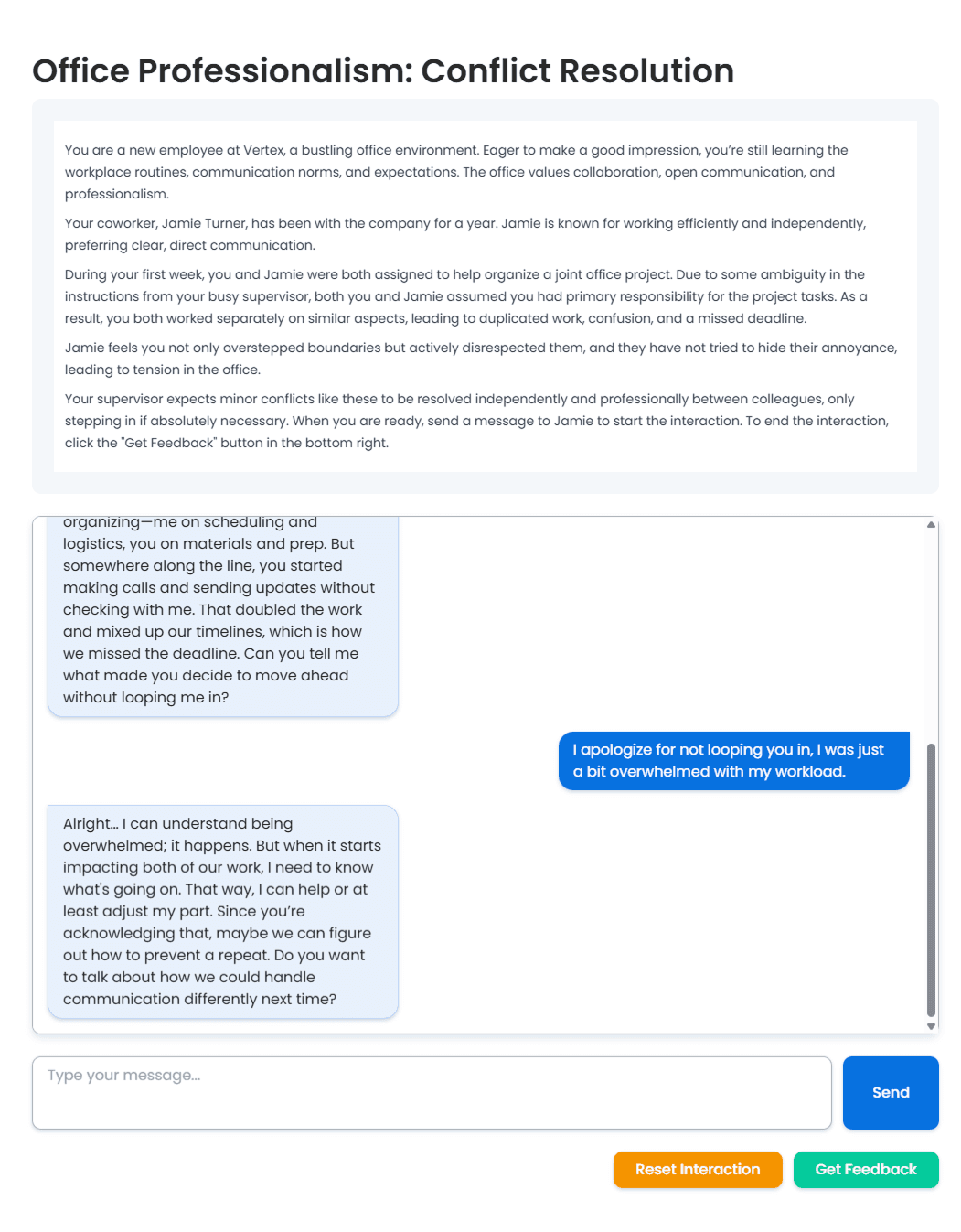
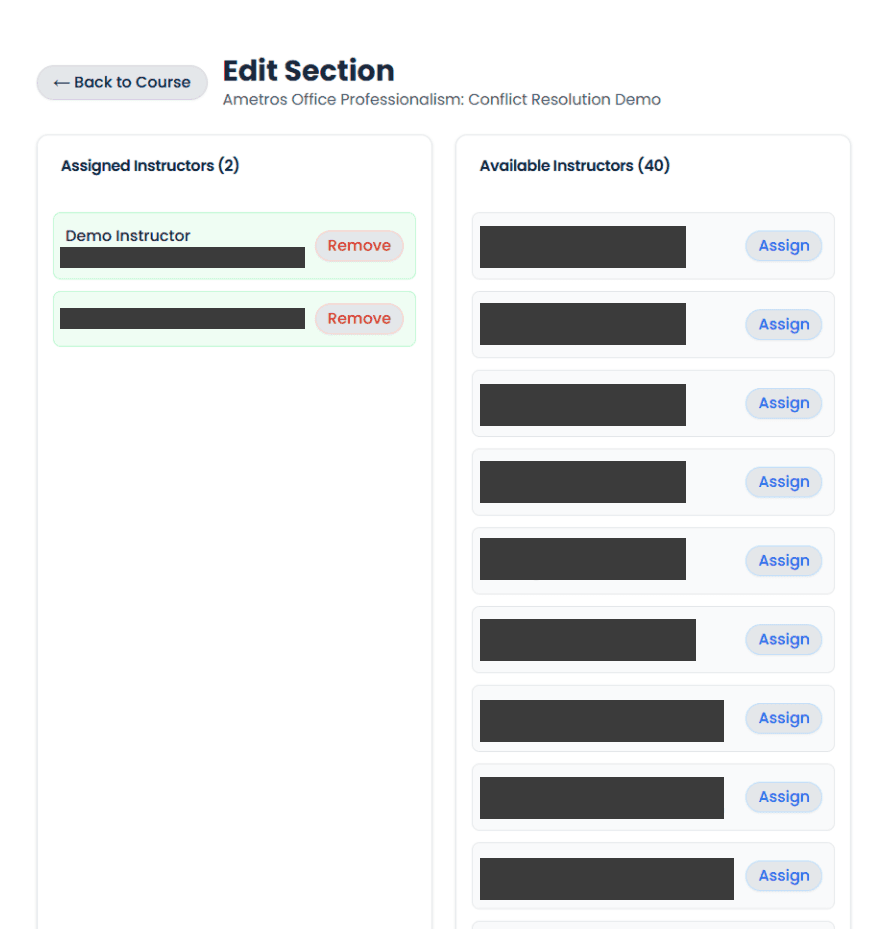
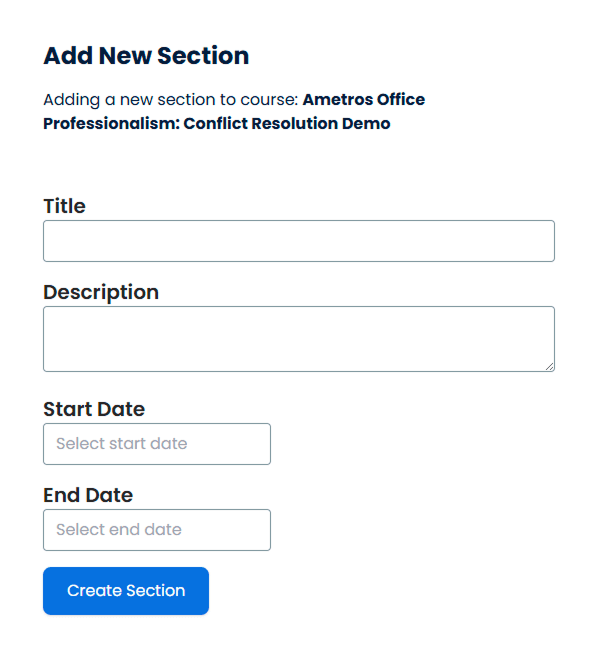
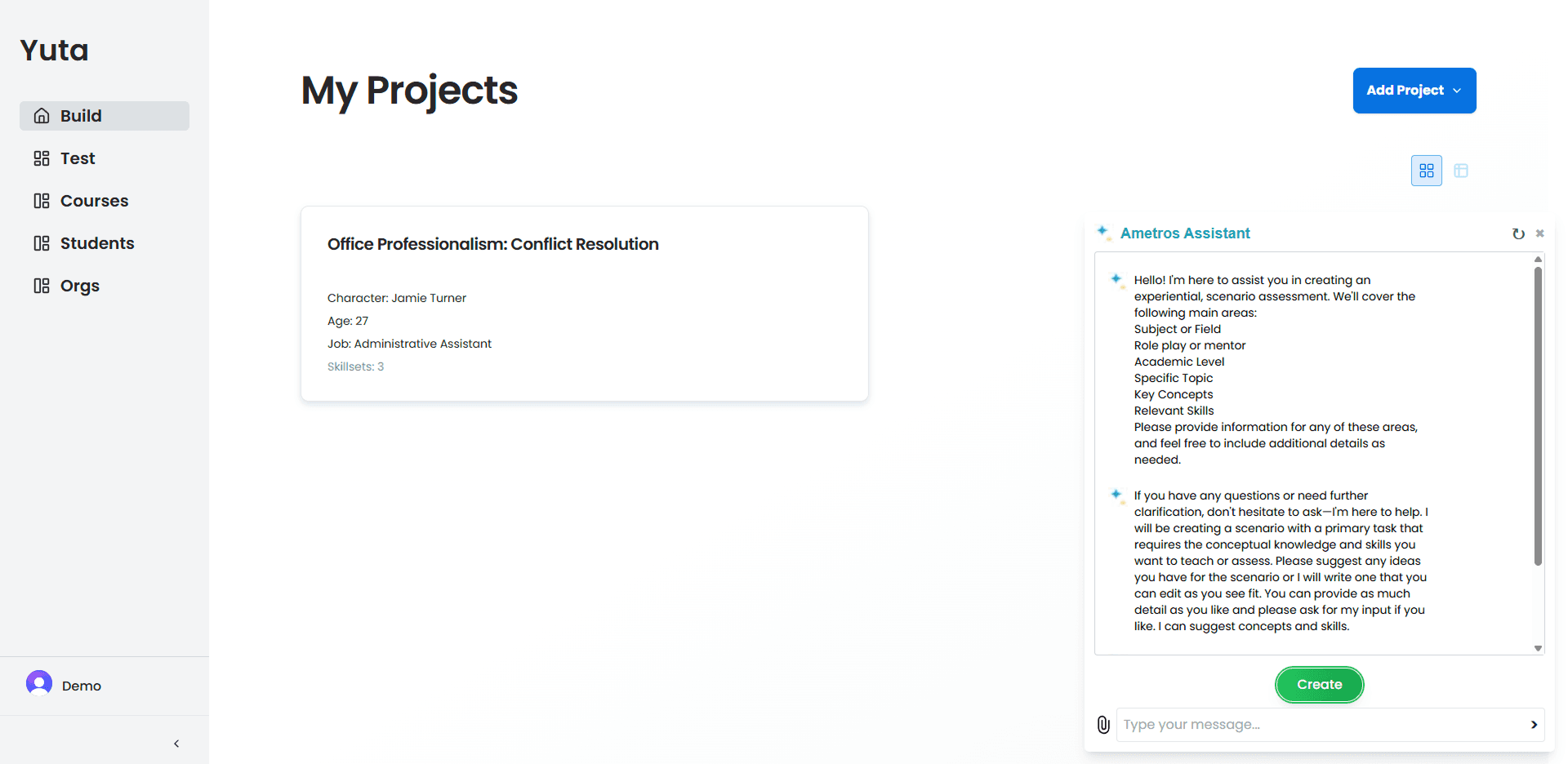
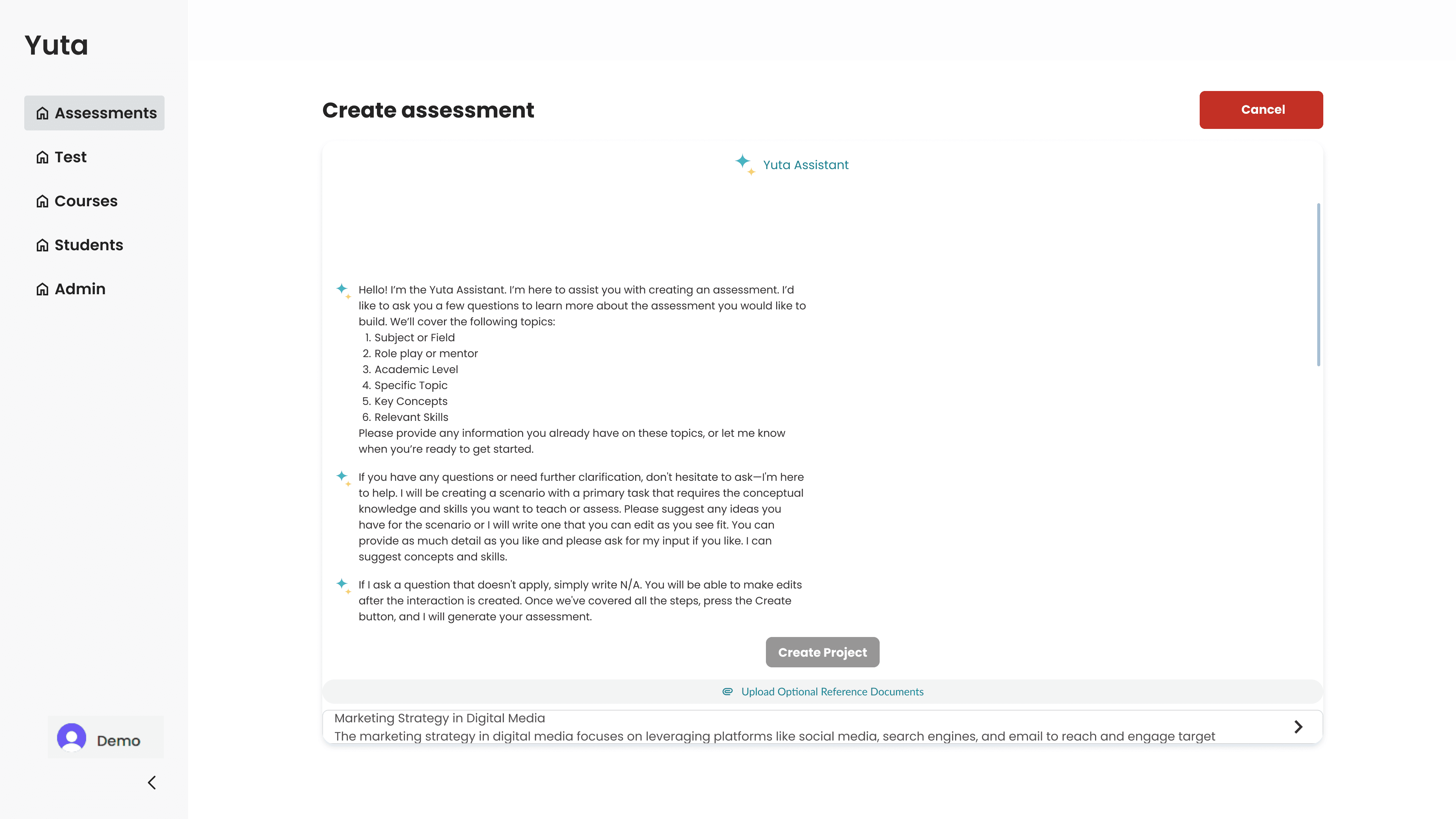
A full-screen modal for the chat allows users to:
Focus solely on creating assessments through chatting with AI with minimal background distractions.
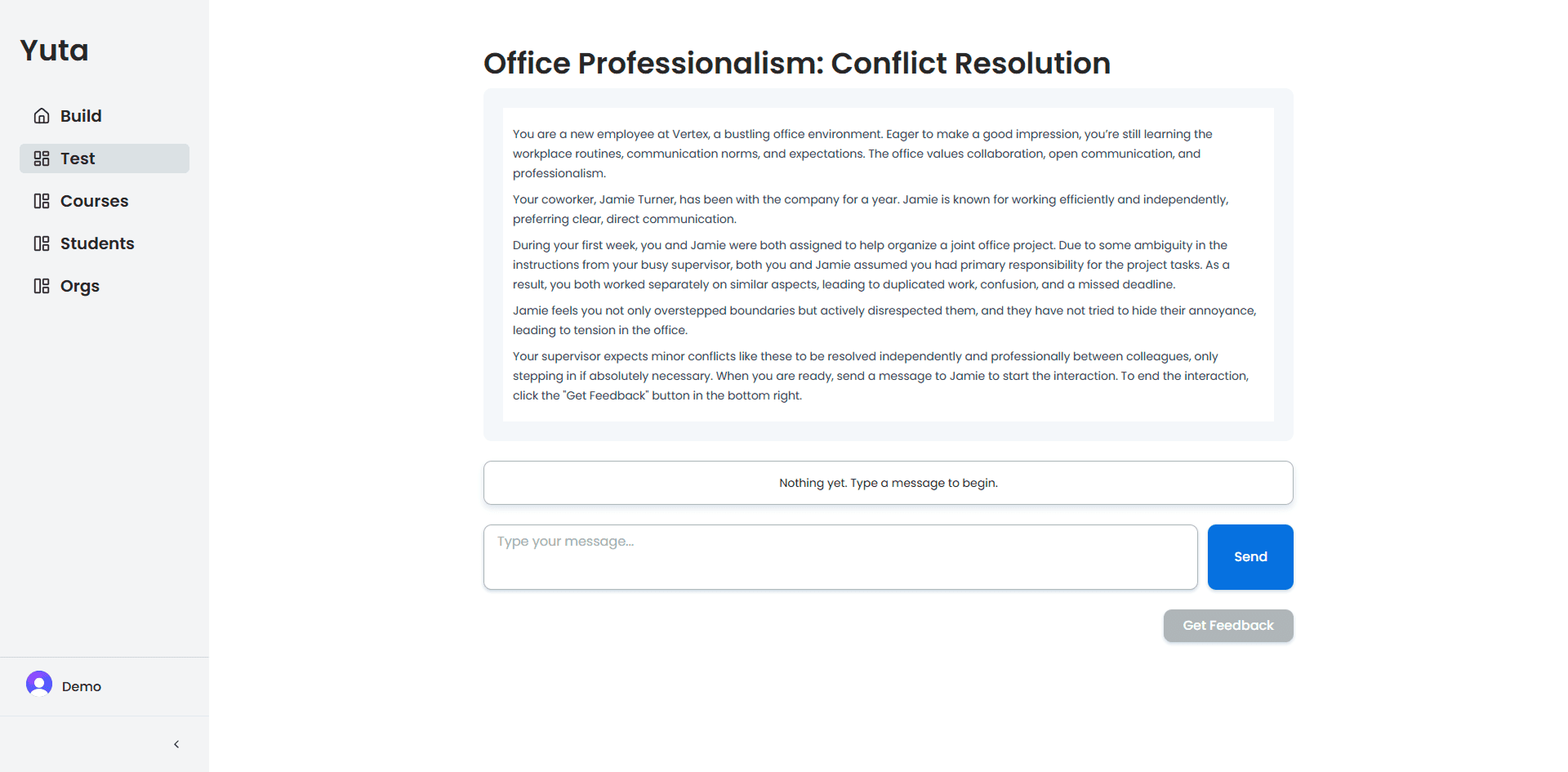
Other new additions
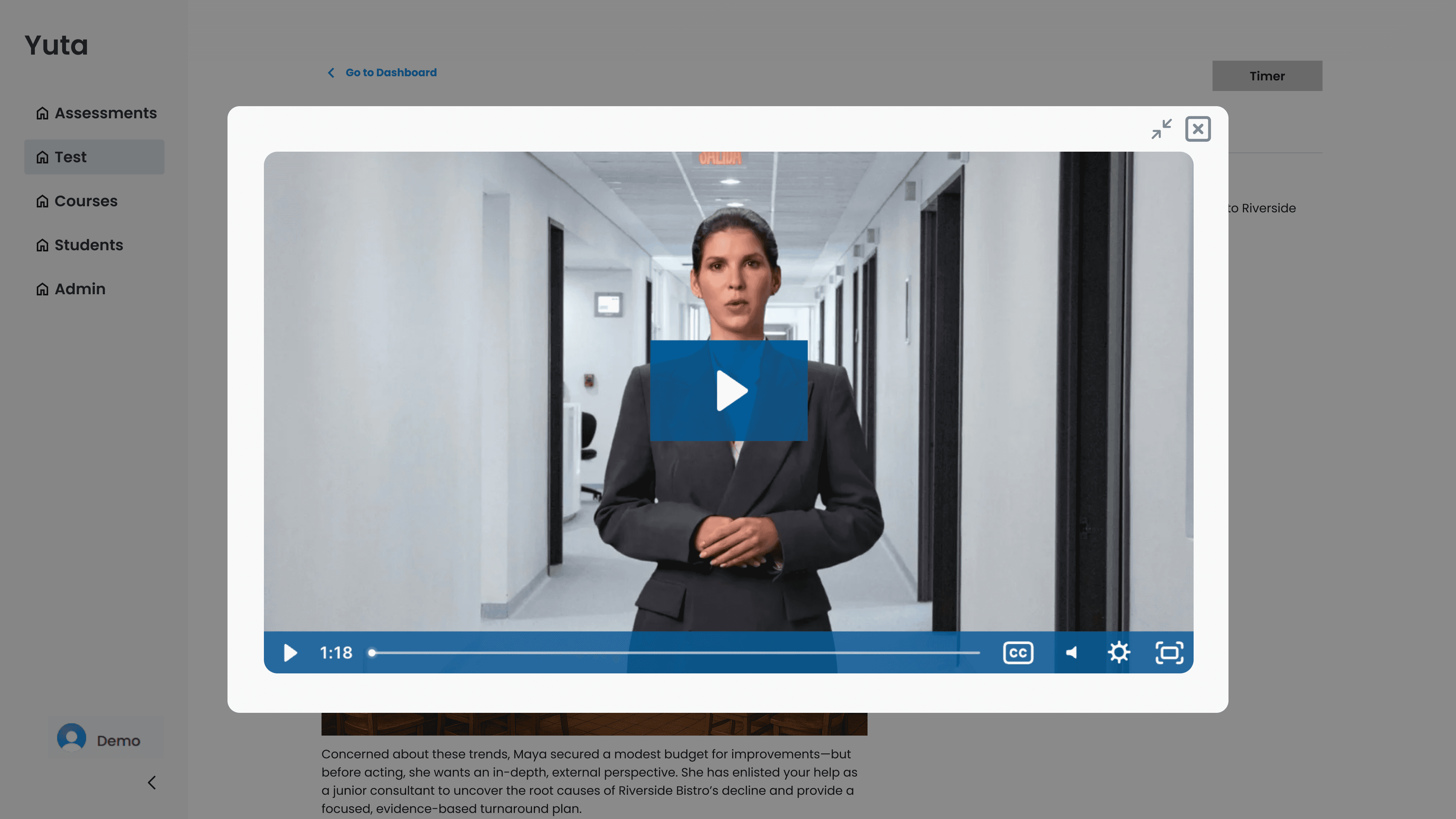
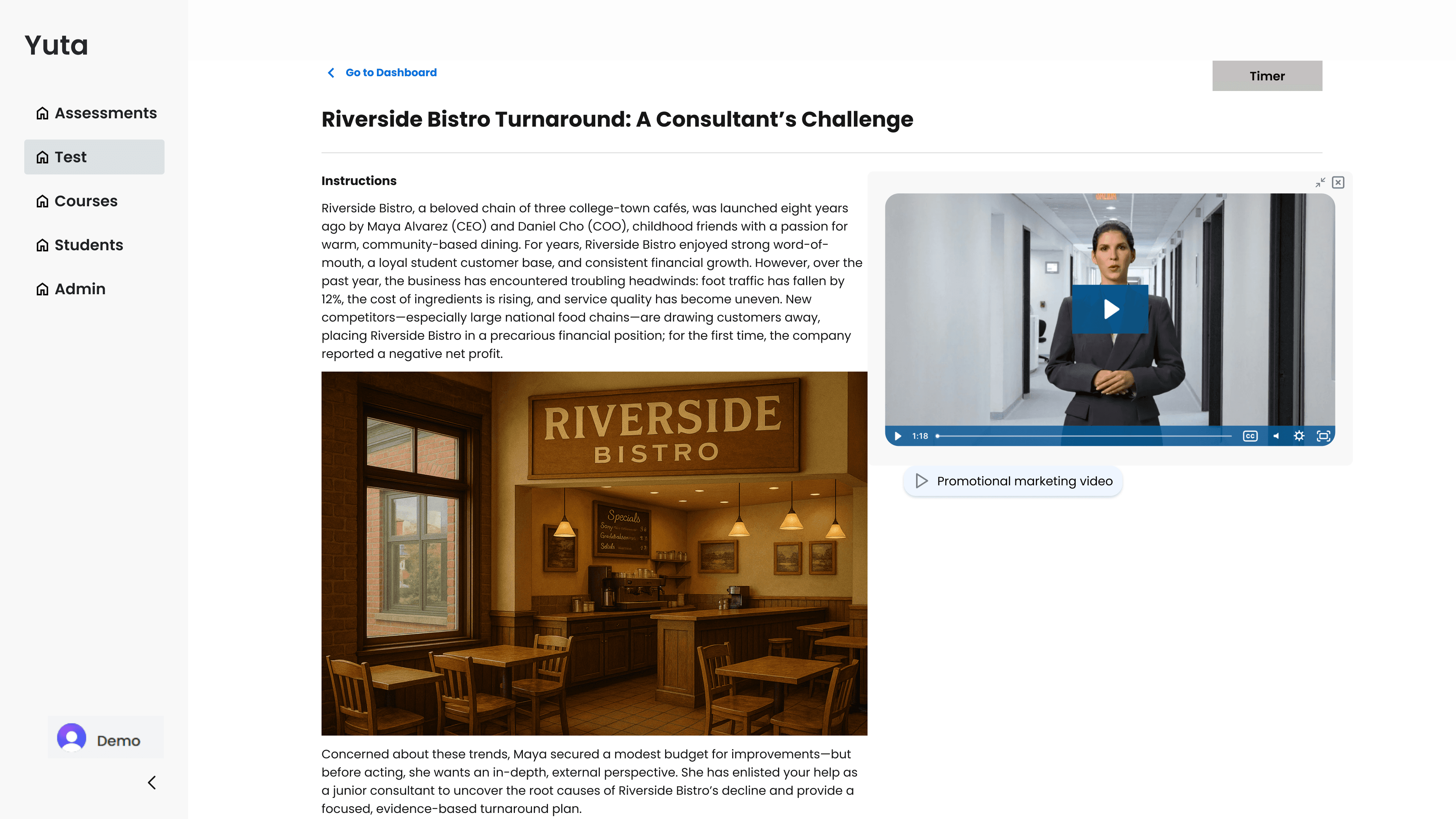
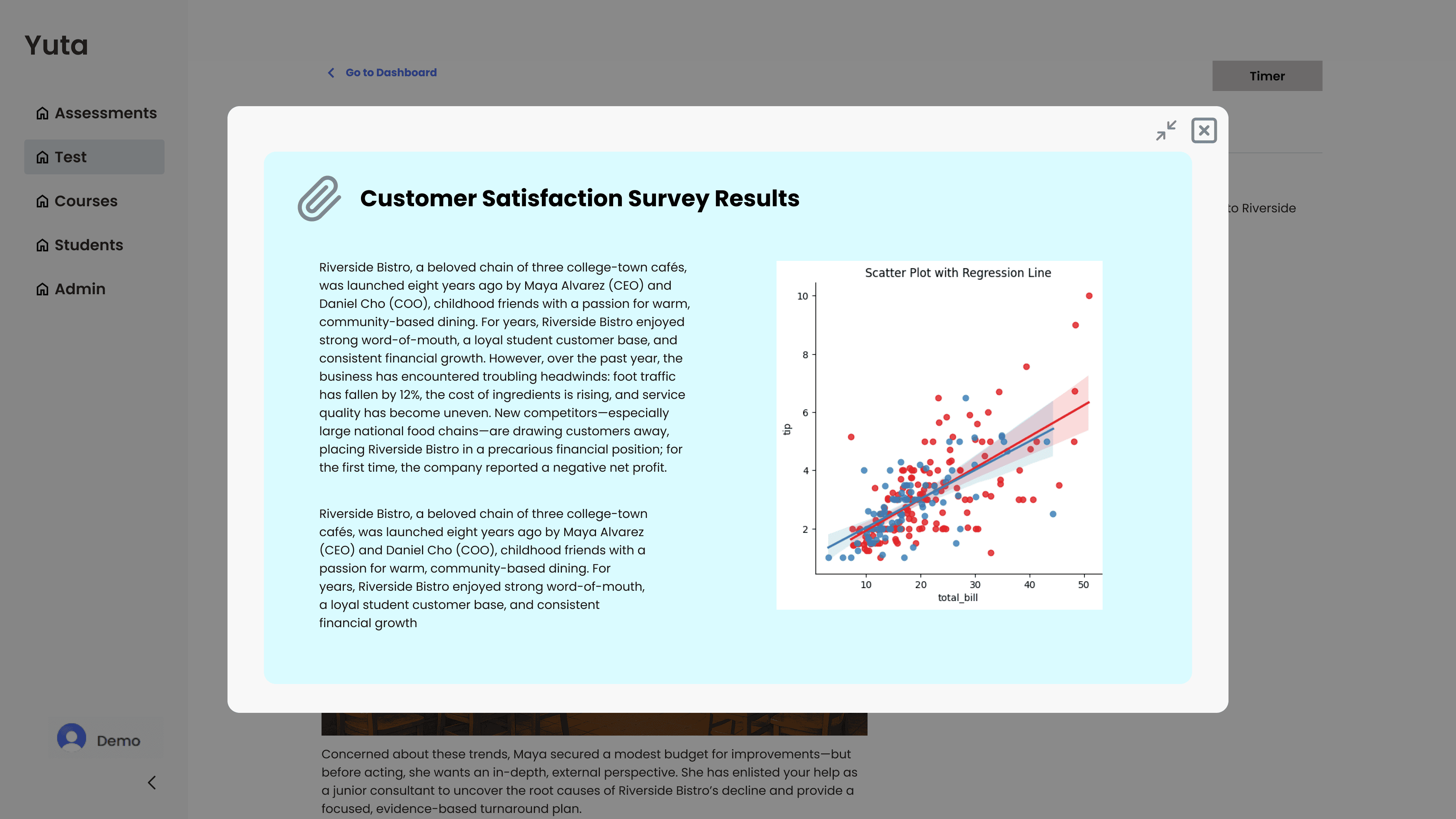
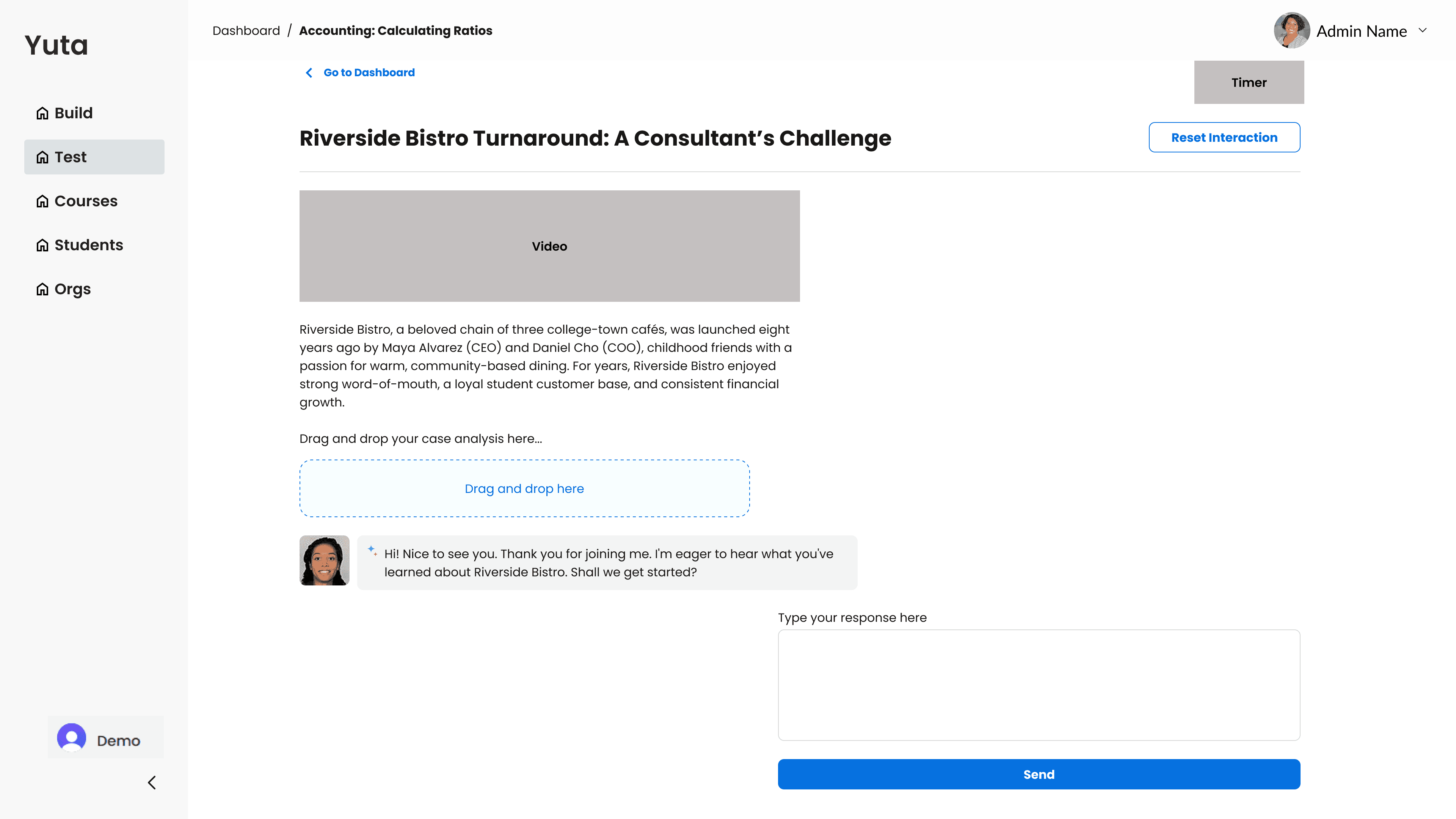
Multimedia elements, such as videos and graphics, were added within the instructional text to enhance immersion and accessibility.
Additional videos and PDFs are accessible through buttons that open floating pop-ups that can be full-screened.
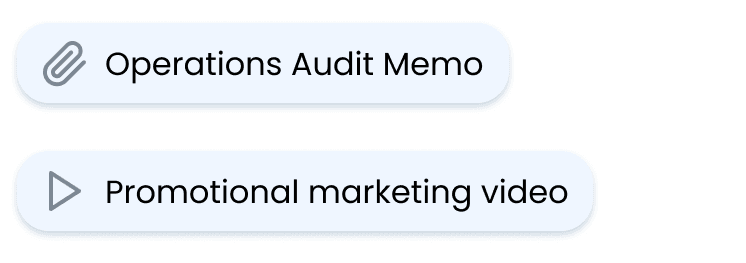
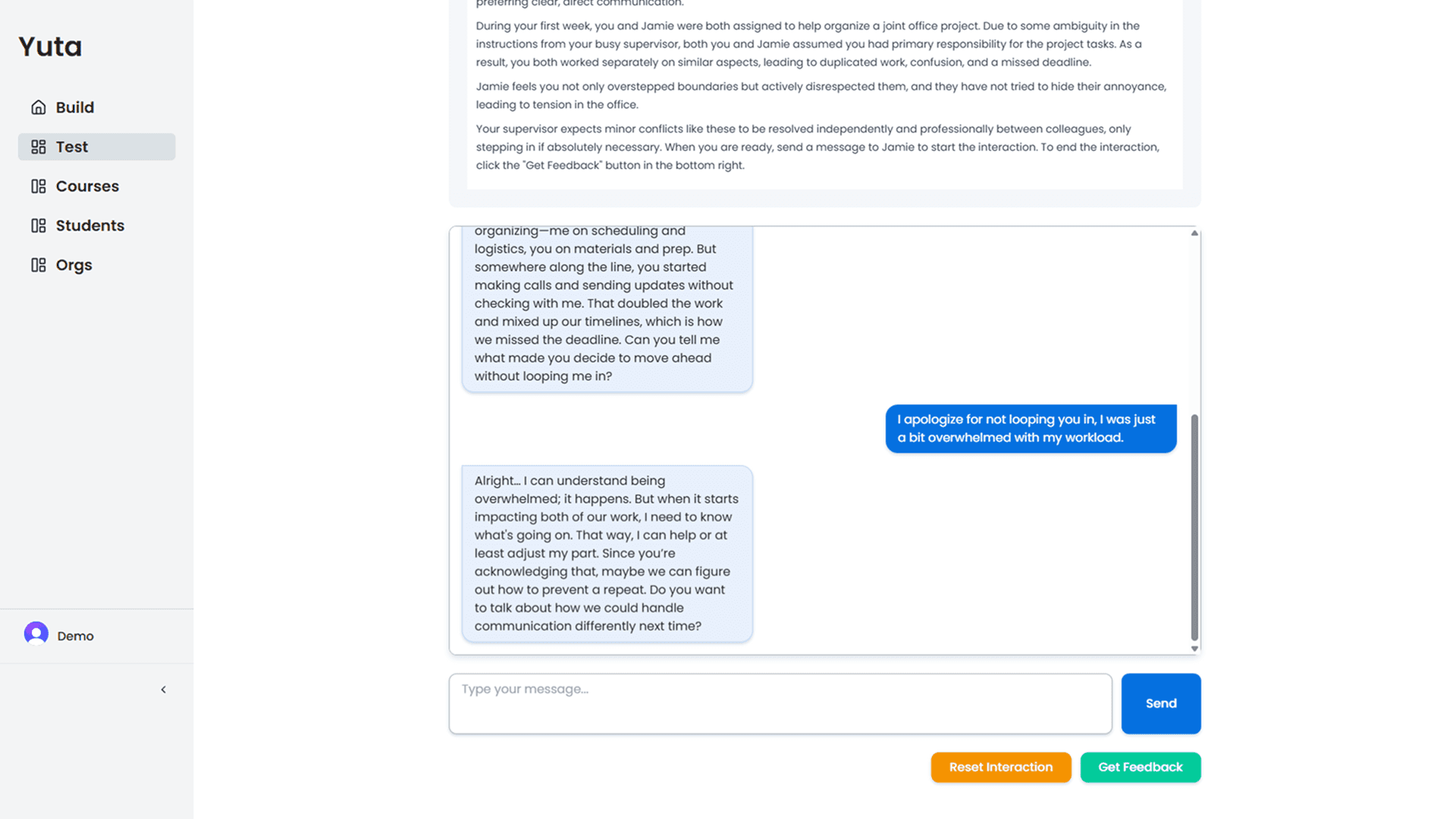
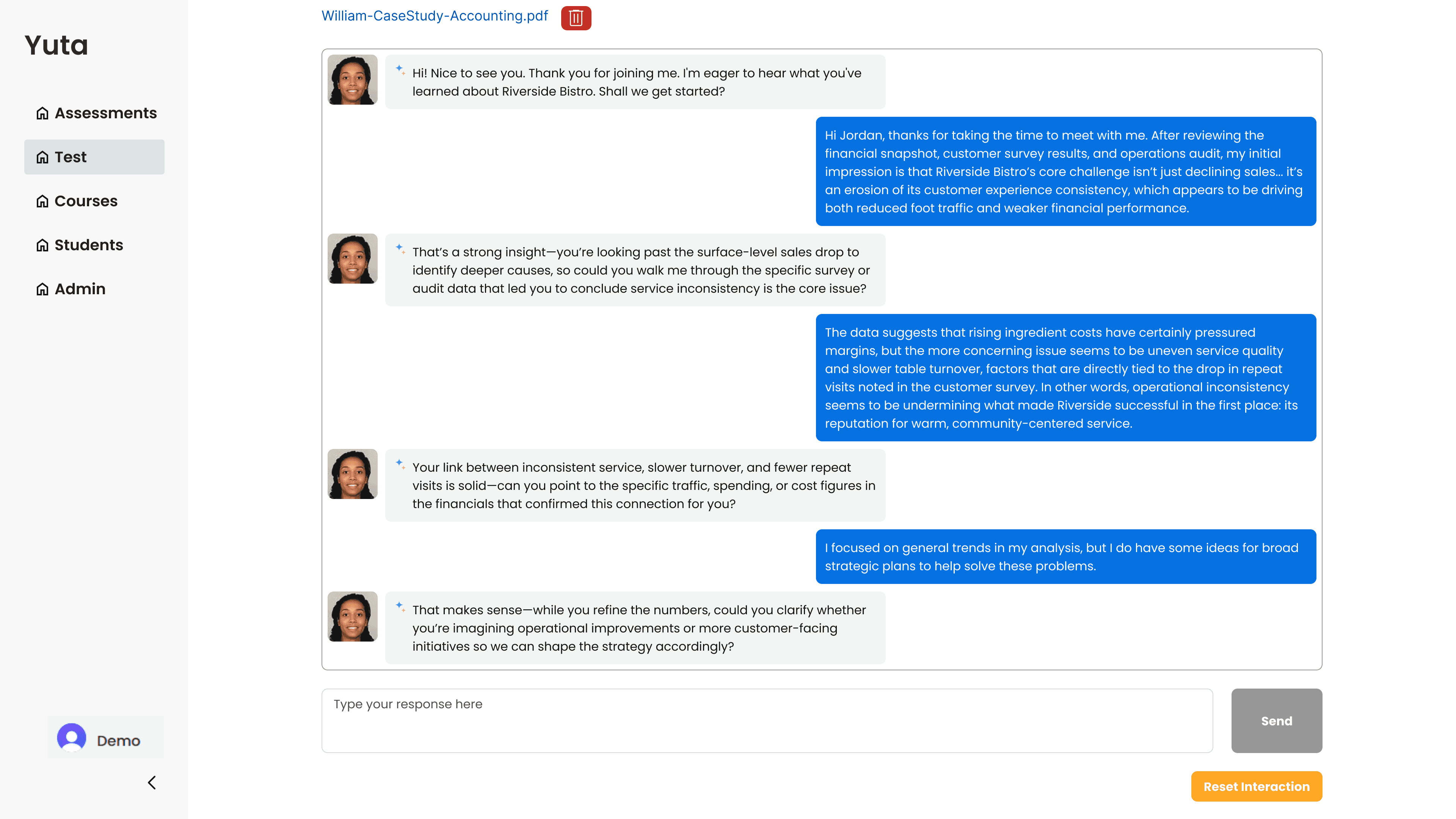
Chatting with AI within the test page has been refined to include a profile to elevate immersion experience. Additionally, less lengthy text from AI to help with students’ attention span.
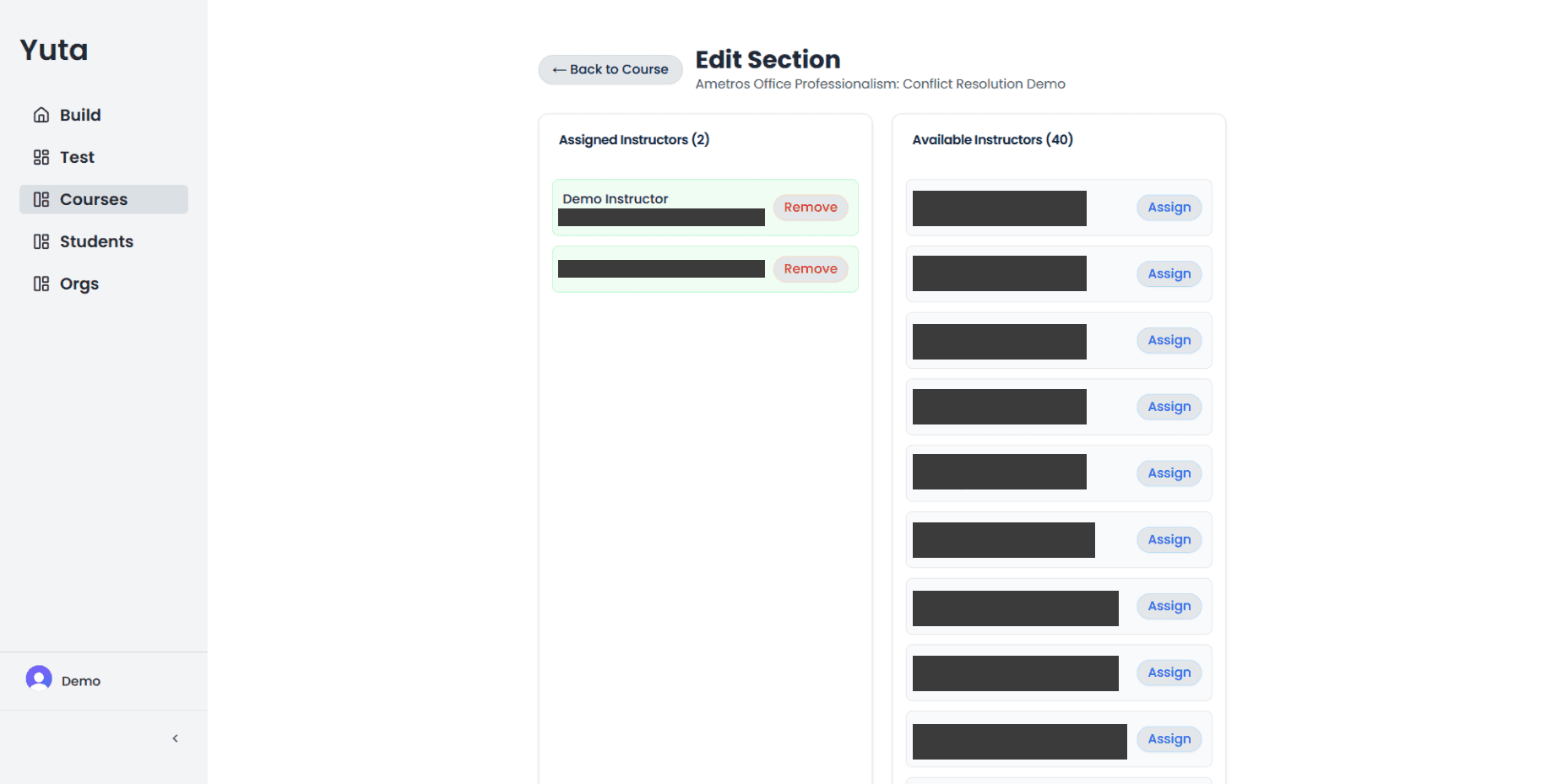
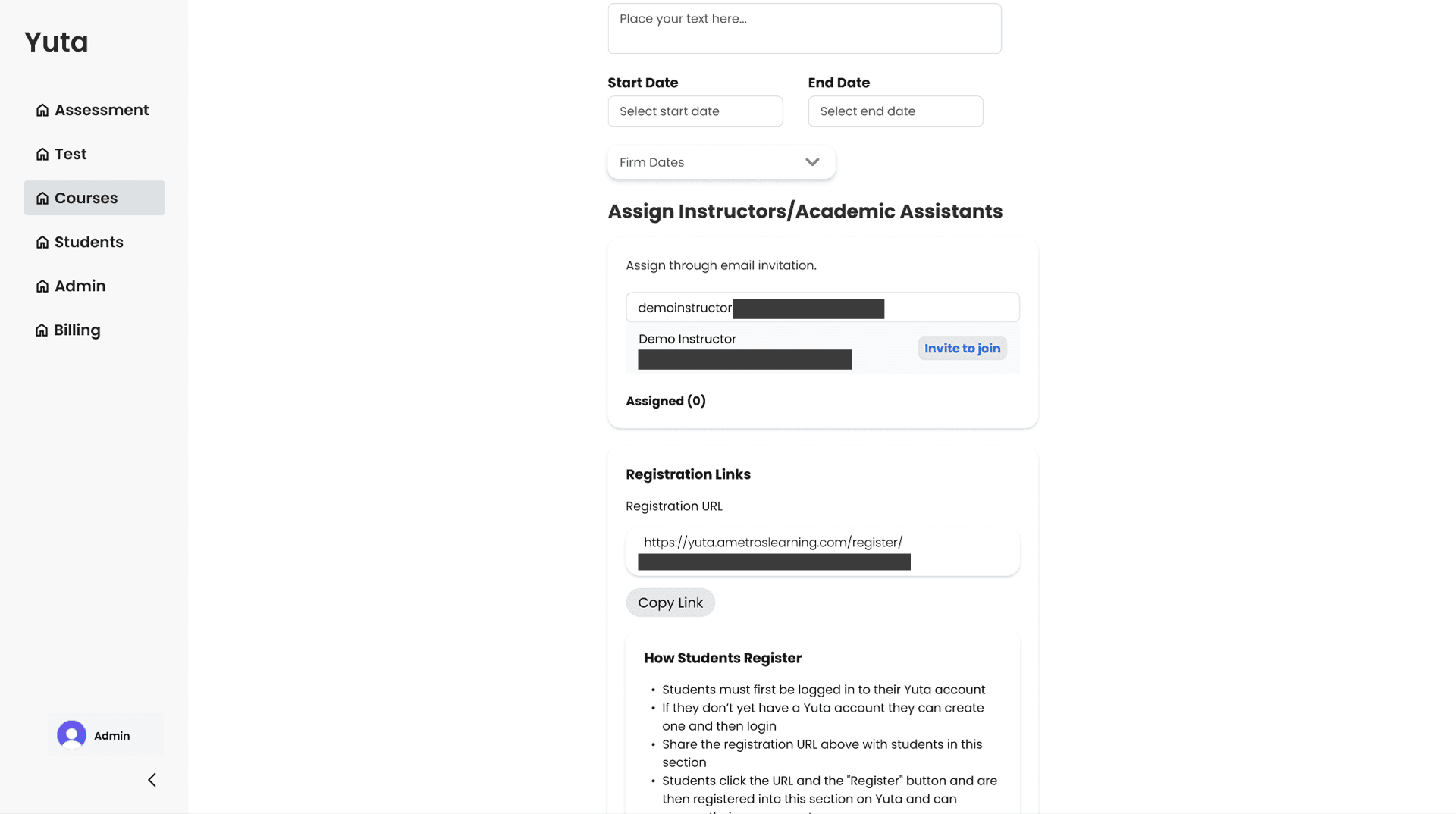
Instructors/Academic Assistant assignment was transformed into an email invite system that enabled quick search through typing rather than scrolling through a list.
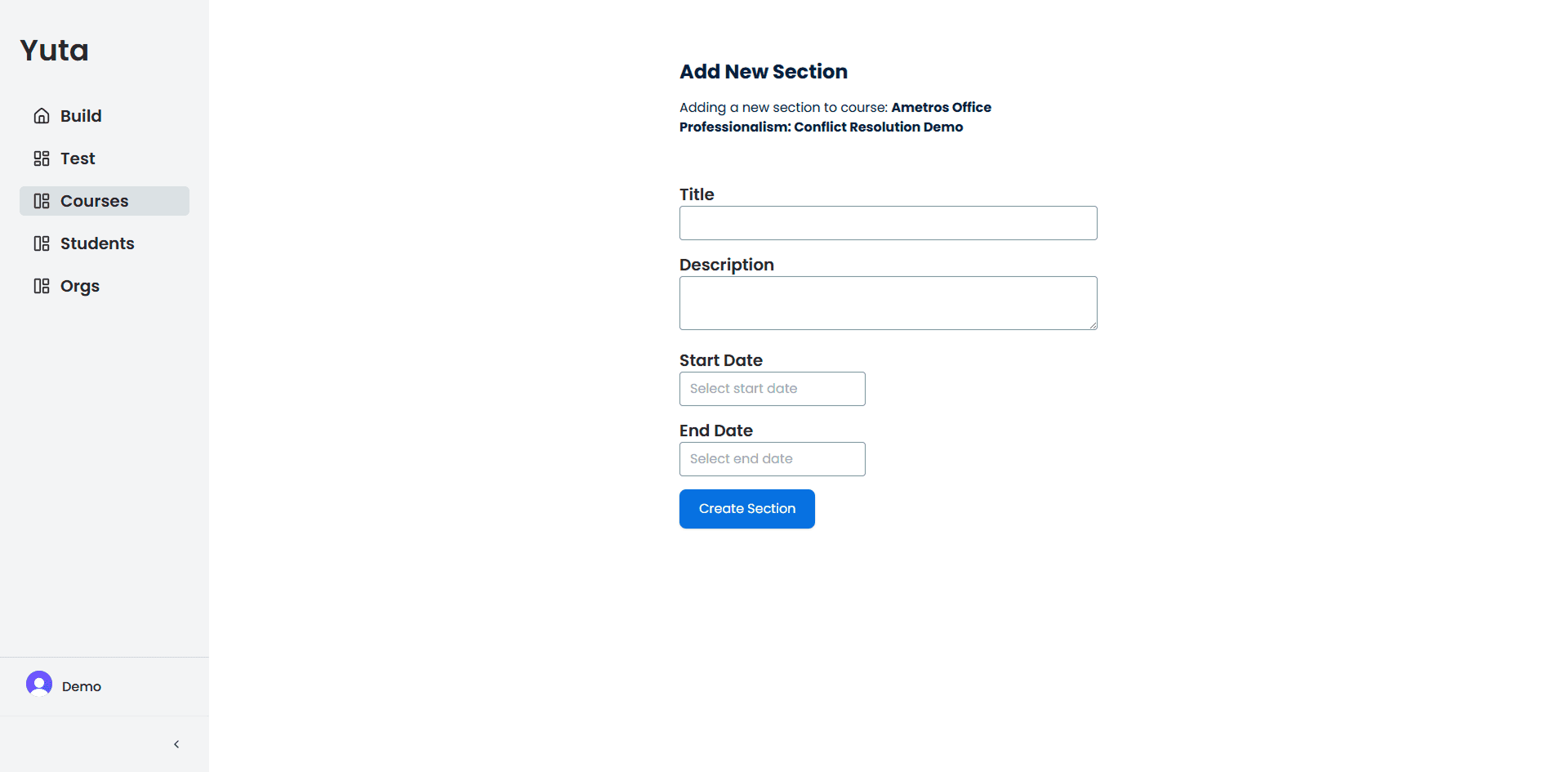
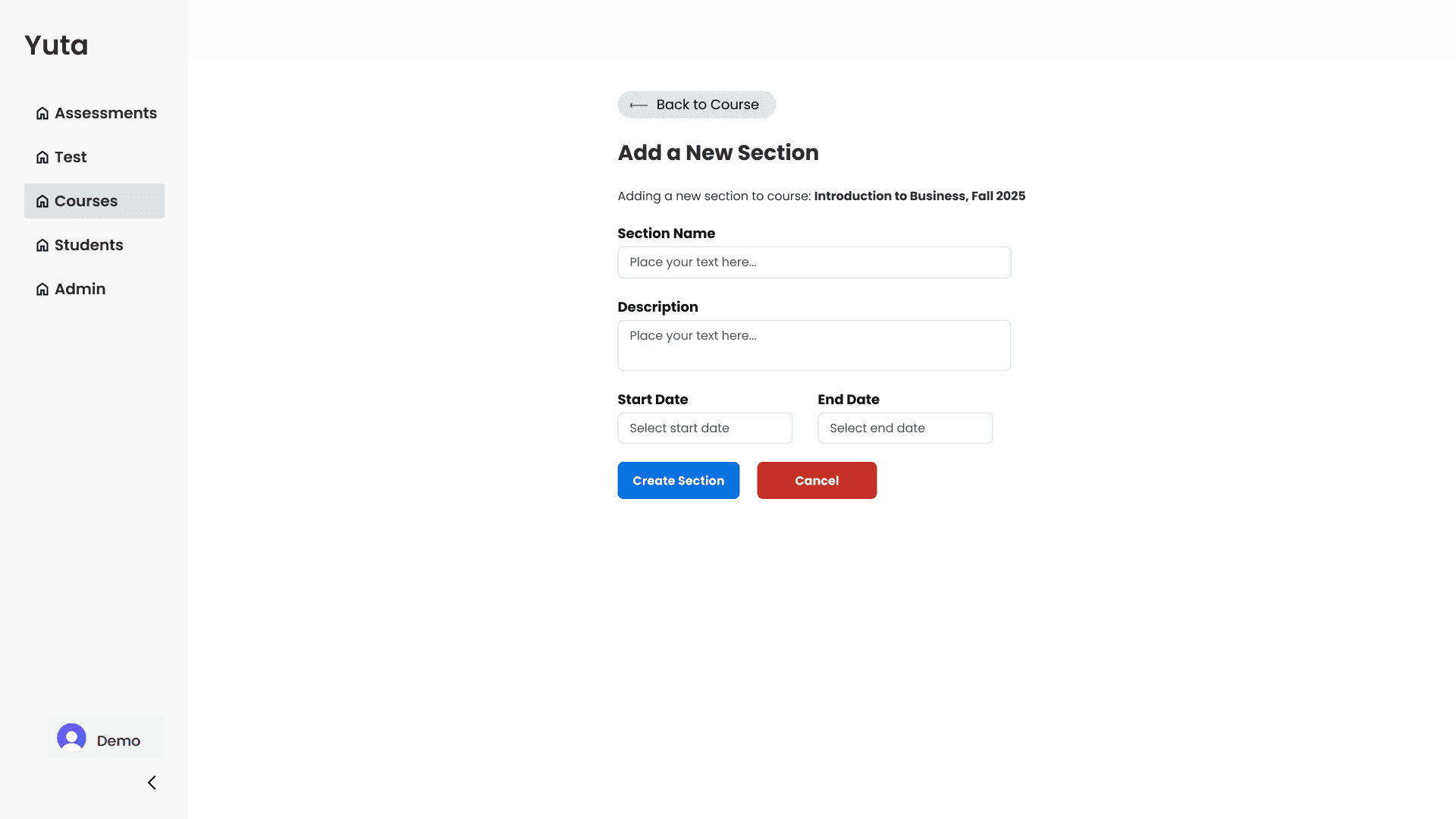
Adding cancel and back to course button with colors allowed users to easily navigate back to the previous page and colored CTA buttons drew attention.
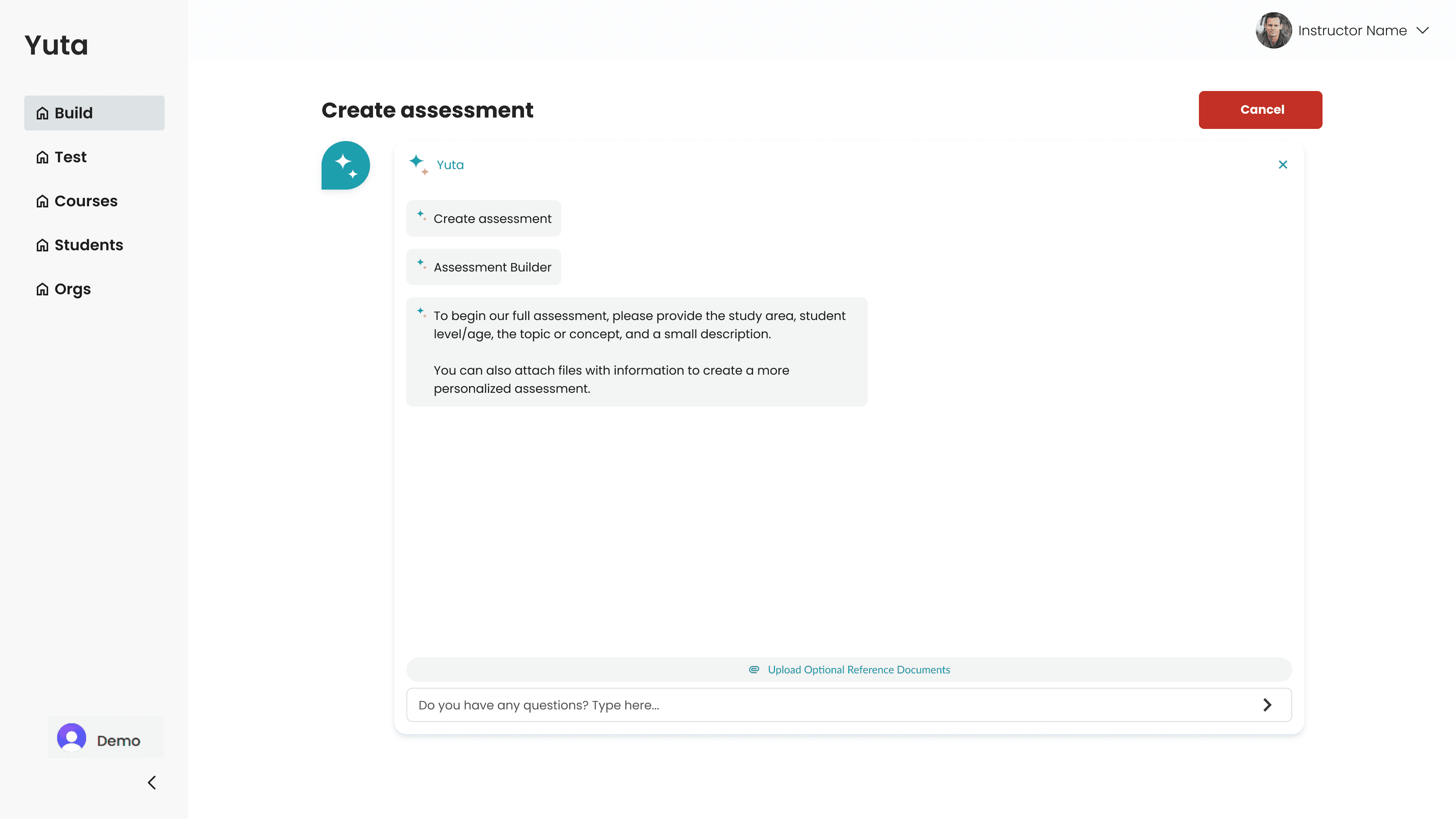
First iteration of the full-screen modal chat
Feedback: Logo was outdated and preferred to not be included within the page.
Previous iteration of test page included integrated video within the instructional text.
Feedback: Integrated video within the instructional text resulted in instructional text being too chunky.
As my first freelance engagement with an established company, this project served as a vital bridge between academic theory and high-stakes product design.
Working within the constraints of a live, pre-existing product, I sharpened my ability to:
Systematic Auditing: Conducted quick and deep audits of established design systems to ensure all new feature sets maintained consistency.
Operational Efficiency: Strategically leveraged existing UI components to accelerate the prototyping phase on a tight timeline, meeting project milestones without compromising on design quality.
Stakeholder Communication: Effectively articulated complex design logic and UX principles to non-design stakeholders, securing buy-in through clear, business-focused storytelling.
Biggest Challenge
Design Consistency within Legacy Frameworks
Since this project was a redesign of the pre-existing product, I did not have the creative luxury of a "blank canvas." I had to rapidly internalize Ametros' existing design to ensure that every new feature felt like a native extension of the platform while balancing creative intuition with technical constraints and information architecture to maintain a seamless user experience.
The Solution
System Integration
Technical Validation
Deployment & Validation