Impact:
Designed an end-to-end management flow for creating, saving, and auditing AI-generated insights.
Successfully translated abstract business requirements and raw text into a functional, high-fidelity Figma prototype used for primary sales demos
Developed a scalable drop-down system to map complex relationships between program and course learning outcomes.
Type:
Product Redesign
Freelance Contract Project with Ametros Learning Inc.
Role:
UX Designer
Audience:
Ametros’ prospective partners and clients
Team:
William Aung (Me)
Nayhan Karim
Deliverables
Research
Wireframe
Prototype
Feedback
Iterate
Description:
My project partner and I were commissioned by Ametros Learning Inc. to reconstruct their platform, Yuta, as a high-fidelity Figma prototype for stakeholder demonstrations. While the primary objective was a functional replication, the project evolved into a strategic partnership. After the functional replication and a few redesigns of the product to better offer clarity to Yuta’s features, we were tasked to translate written requirements about new AI features and a new organization management page and visualize them in the Figma prototype. This allows the demo to also include future features Ametros is looking to potentially implement within their product, Yuta.
Quote from Ametros:
“Having the design laid out will not just improve clarity for explaining the feature but also significantly reduce dev time on that feature. We definitely hope to implement this workflow again in the future.”
- Nora Sharp, Director of Operations

Overview and Context
Ametros Yuta acts as an AI-powered guide, working with instructors to define exactly what kind of learning scenario they want to create—no coding or developer intervention required. With Ametros Yuta, instructors can quickly create, deploy, and analyze tailored learning scenarios that adapt to individual needs, dynamically assessing student understanding.
Overall, as of the project completion period, Yuta has five main pages on its nav bar: Build, Test, Courses, Students, and Orgs. In this prototype, my partner and I created new systems for the Students and Orgs pages.
Keywords:
PLO: Program Learning Objectives.
CLO: Course Learning Objectives.
*Please click to expand*
*Click to scroll to solutions*
The client provided a written requirement document in which my project partner and I synthesized and extracted the key constraints.
Goal: Provide an org-level view for business school admins to audit curriculum alignment and achievement across courses and programs.
Primary User:
Organization Administrator
Key Constraints:
Program and course list with search/filter
List of Program Learning Objectives (PLOs)
Course & Assessment details
Visuals that show multi-course mapping
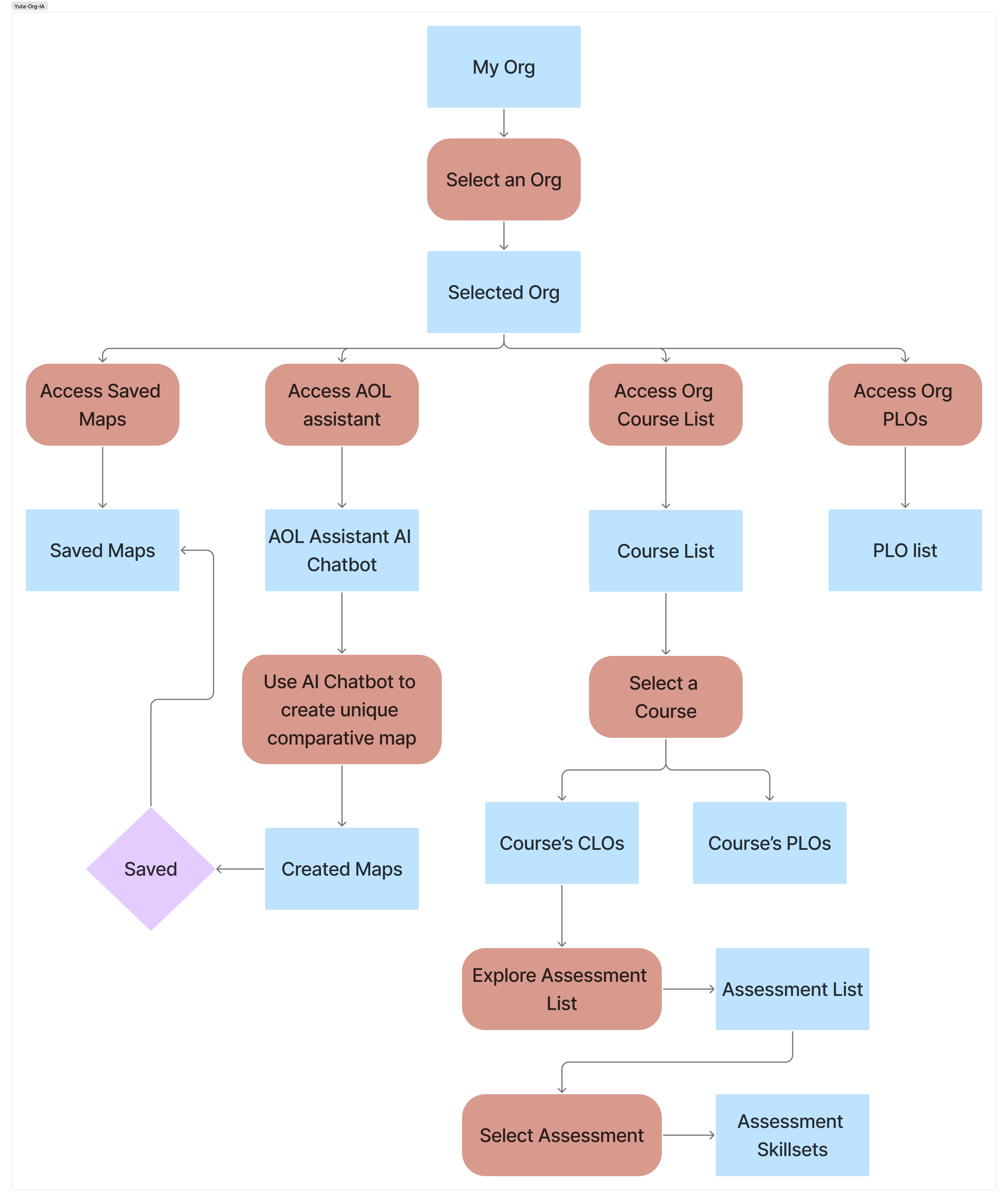
With the key constraints defined, we created an information architecture to validate our ideas before moving on to the next step.
Context:
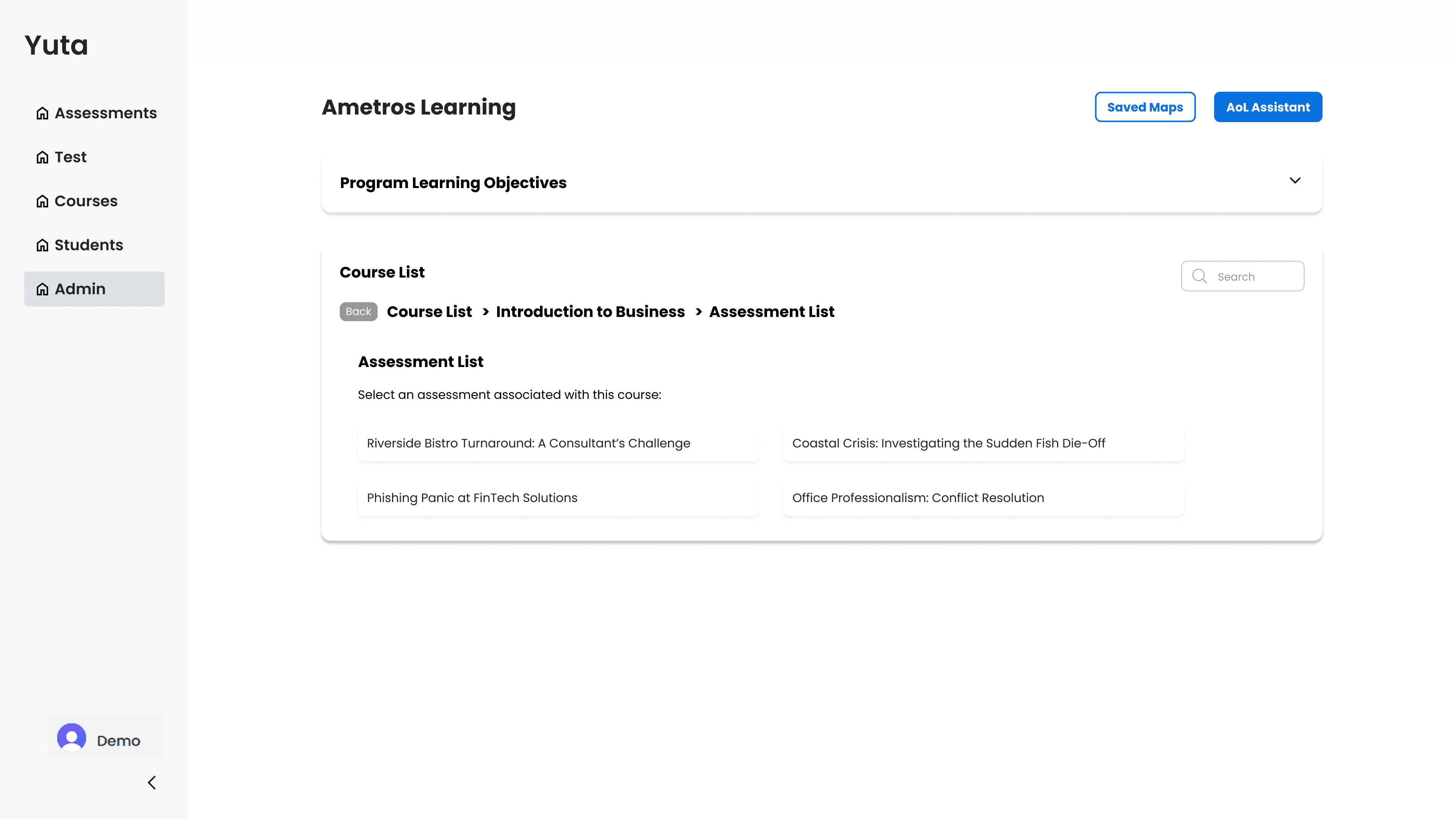
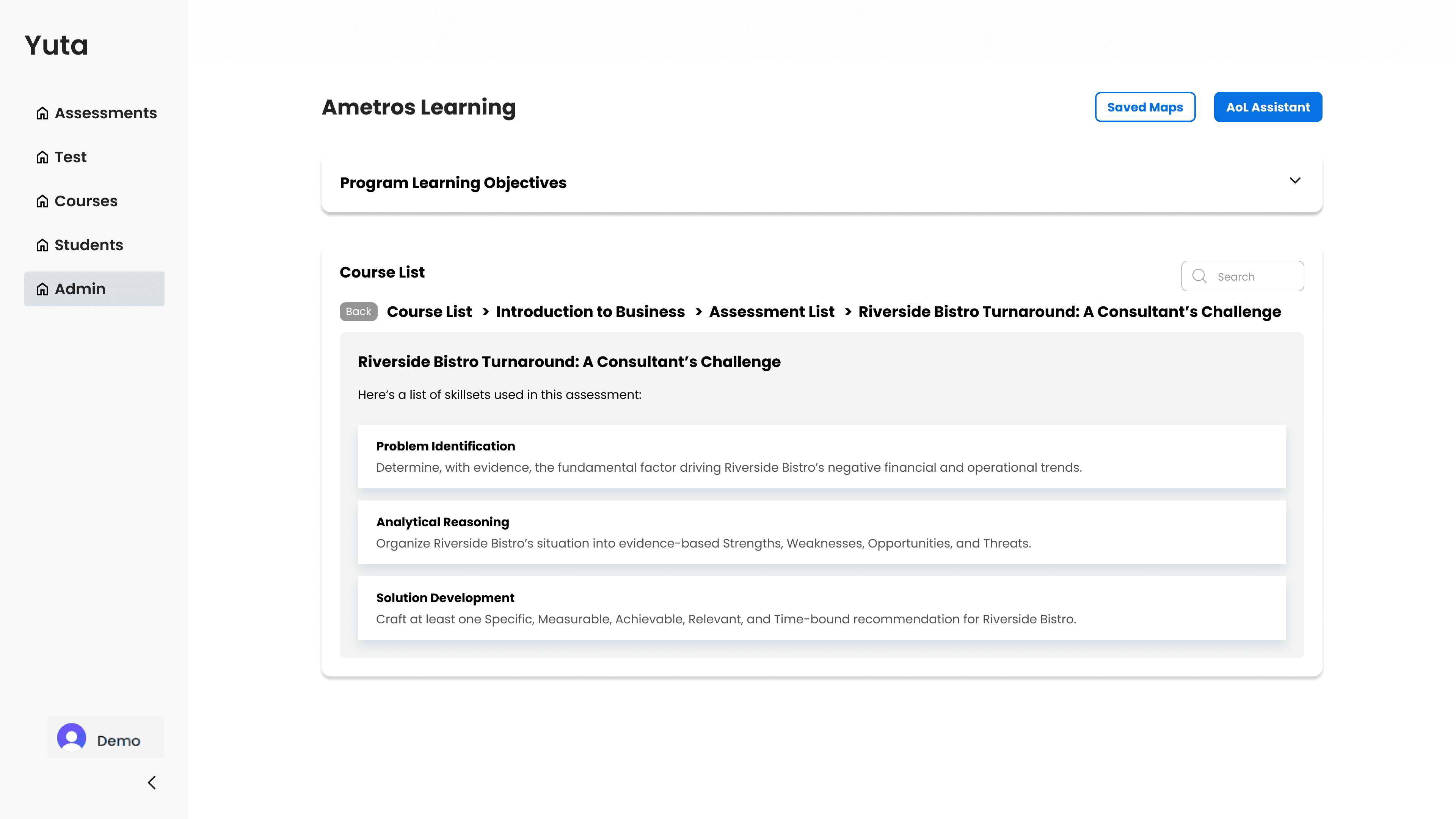
Before diving into sketching wireframes and prototyping on Figma, we mapped out a simple information architecture and decided on the flow of the entire Org section of Yuta.
Key Takeaways:
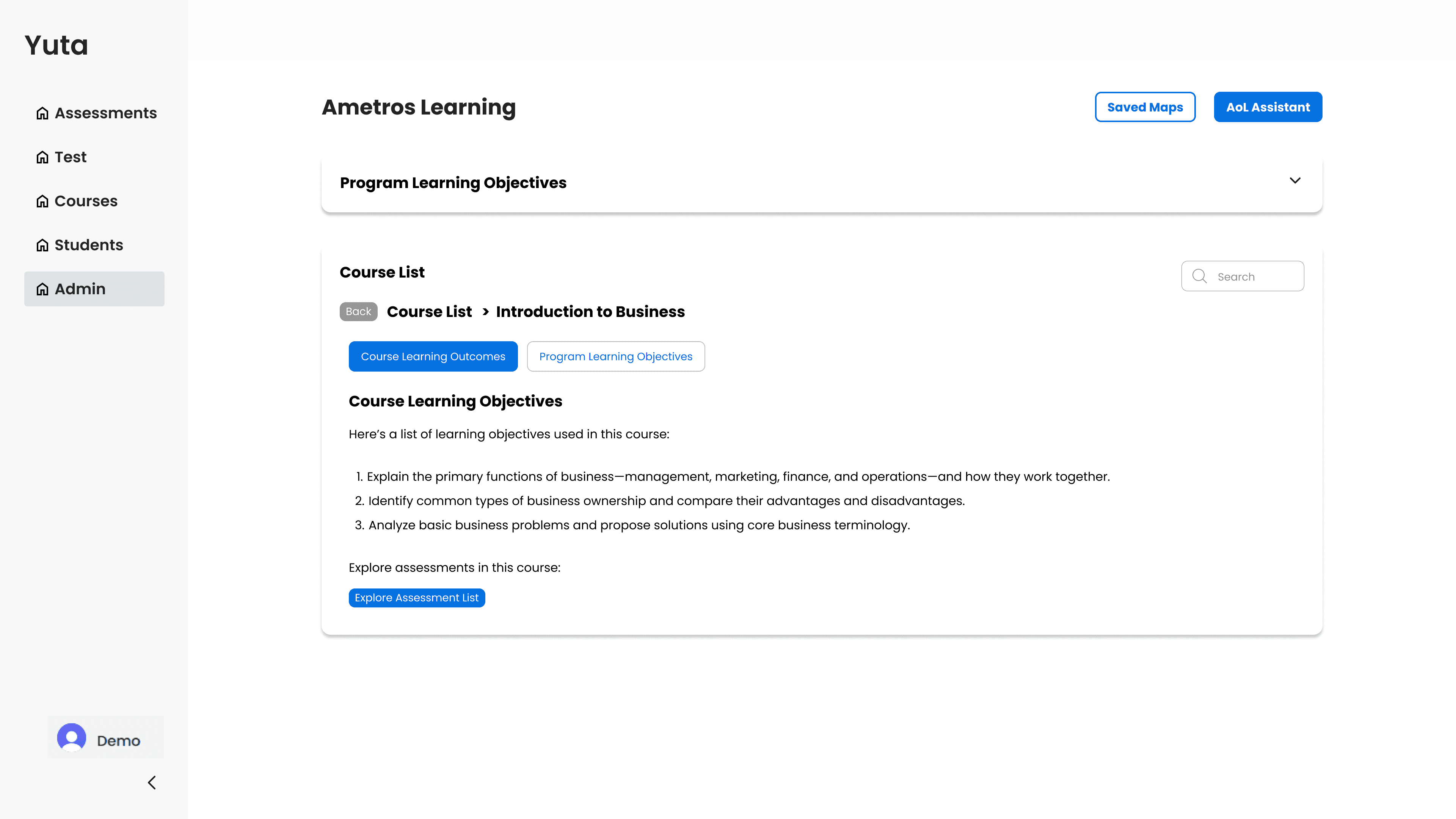
We adopted an in-page navigation system to go from the course list all the way to a specific course’s assessment’s skillsets.
Within the in-page navigation system, a list of CLOs and PLOs of a specific course can be accessed through different pill buttons.
Breadcrumbs are provided for easy navigation going back to previous pages.
A list of PLOs within the entire organization is accessible through a drop-down present on most all pages excluding pages with maps generated by Yuta’s AI.
Context:
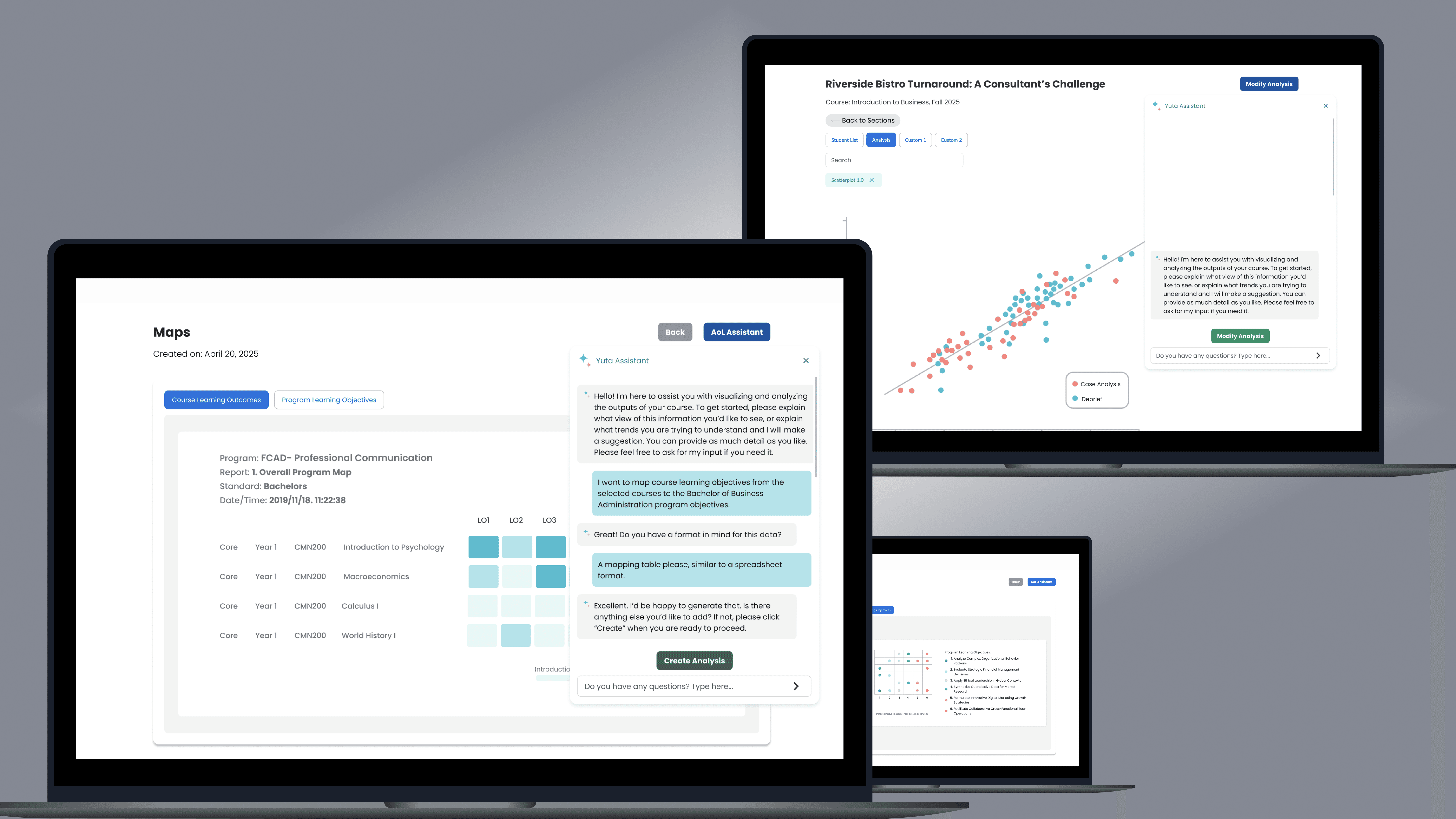
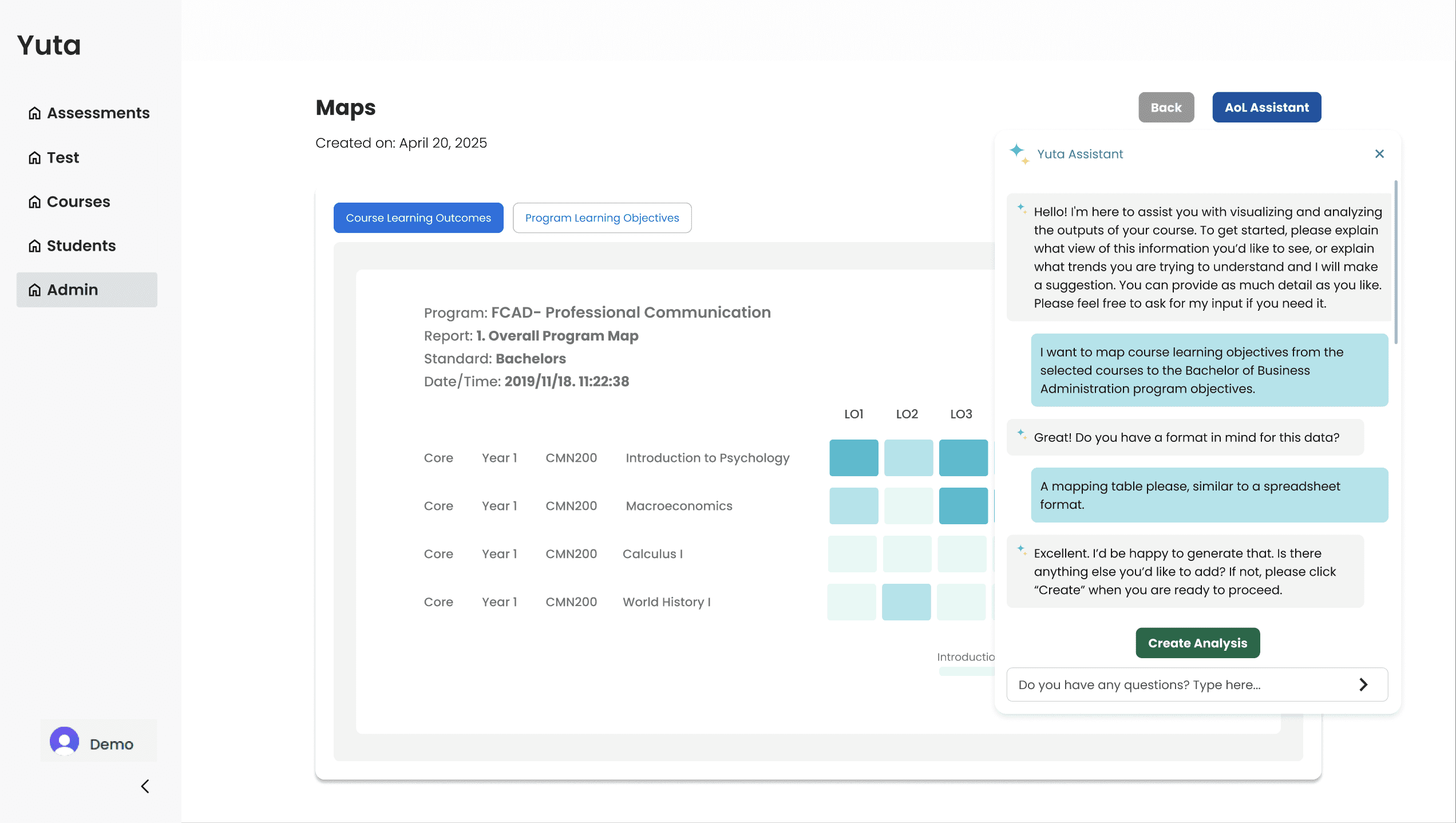
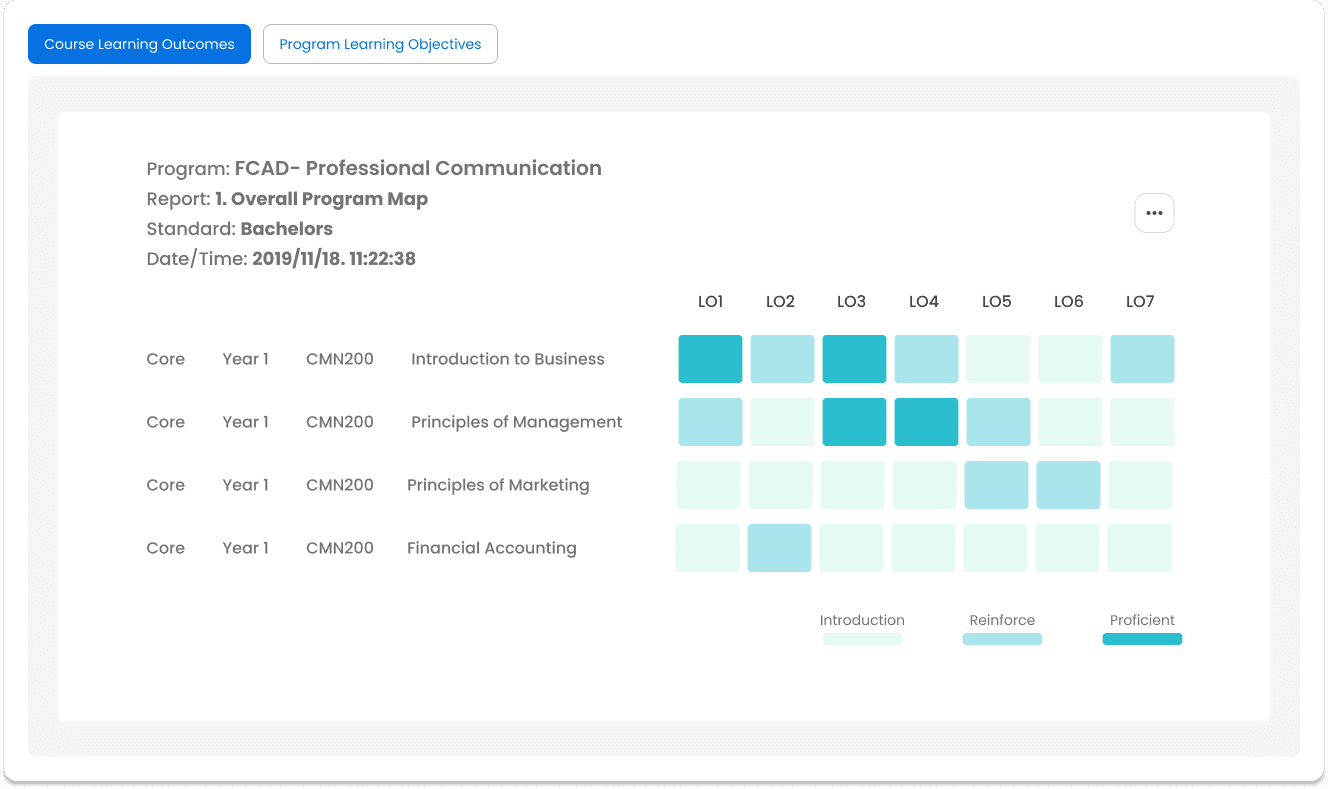
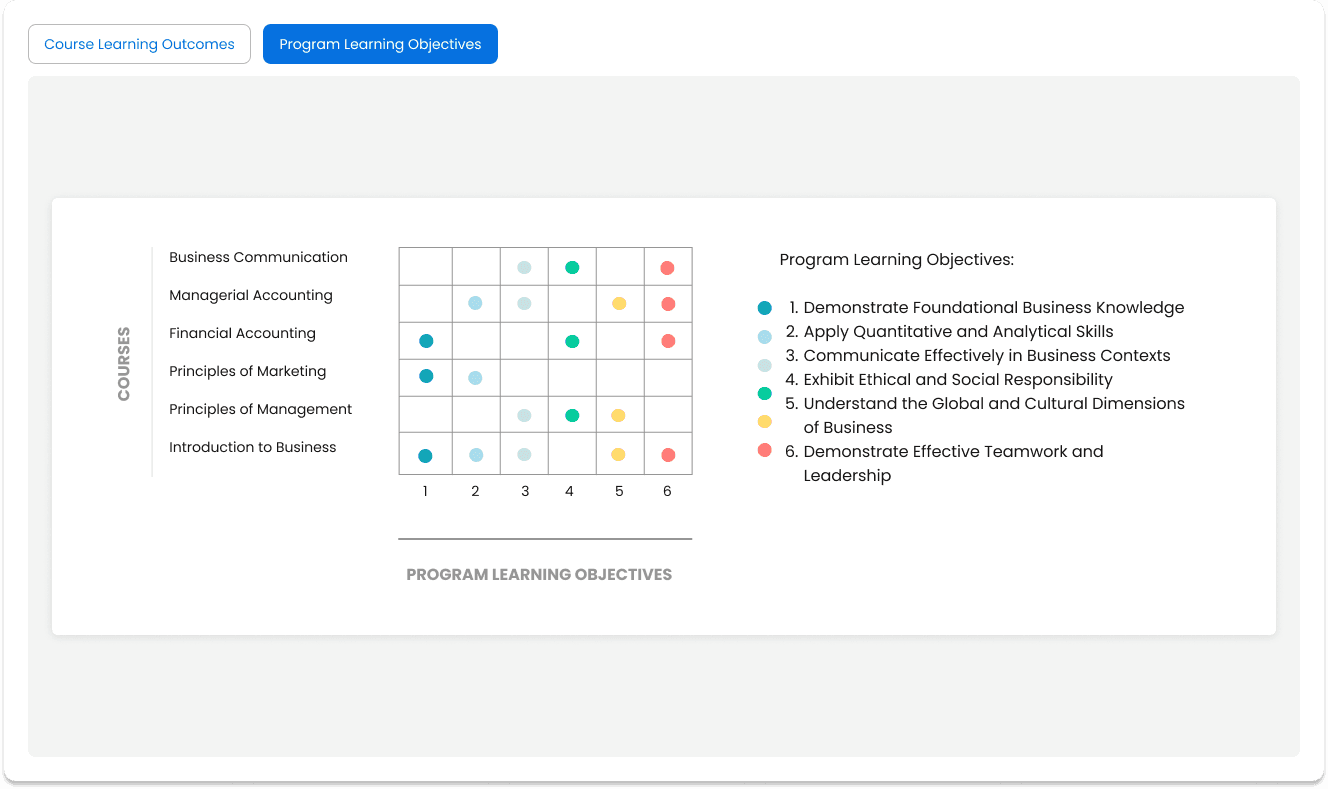
As for the AI feature within the “Org” page, the AI is accessible as an AoL Assistant and can help the admin visualize the overlap of CLOs and PLOs across multiple courses.
Key Implementations:
CLO and PLO maps are accessible through different pills.
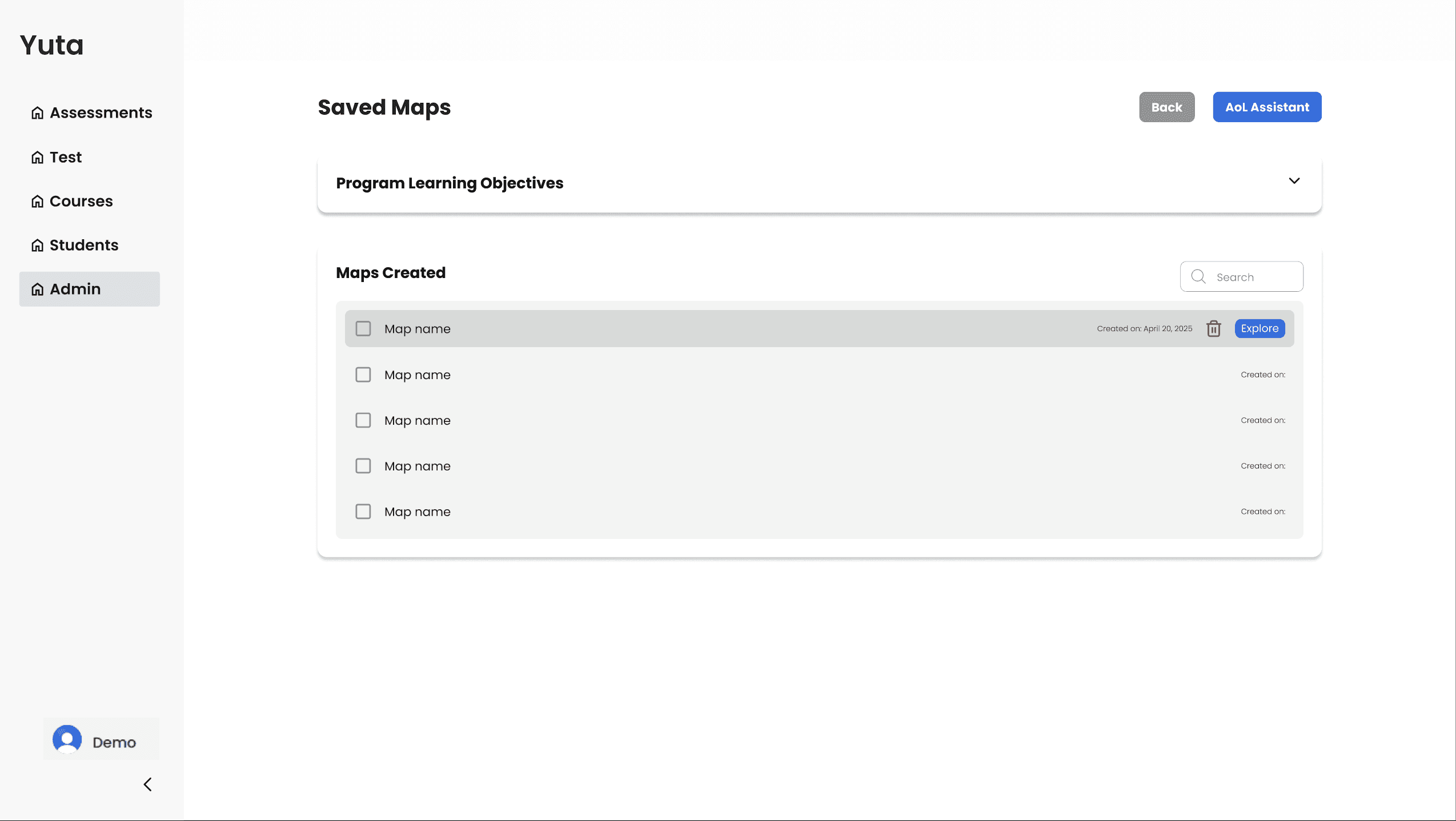
Mapping of CLOs and PLOs are accessible through AoL Assistant chatbot. The button placement is consistent with the rest of the platform.
A heatmap is chosen as the best option to map CLOs and PLOs effectively.
Generated maps can be saved and accessed through the “Saved Maps” list. This allows users to revisit the maps they created.
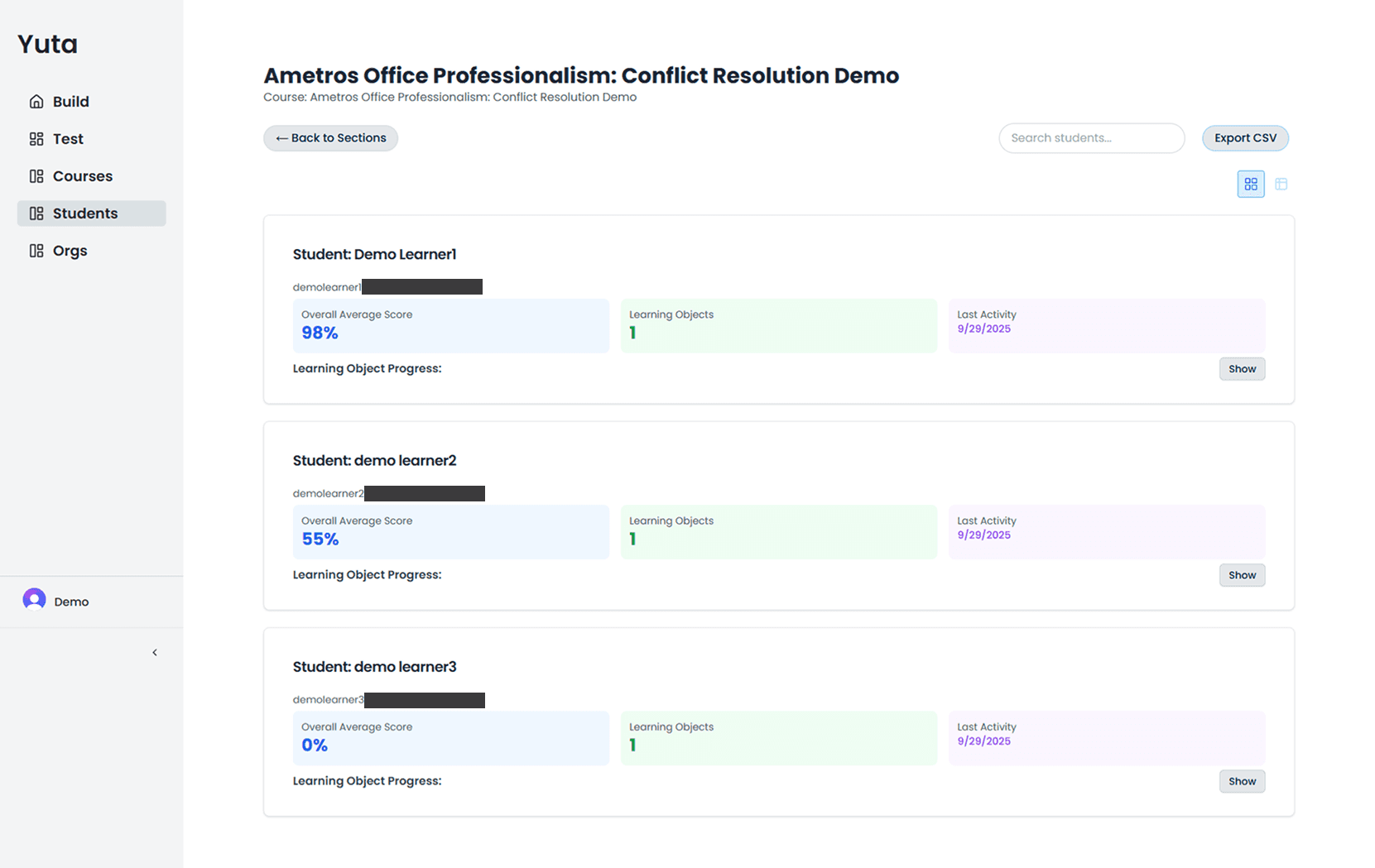
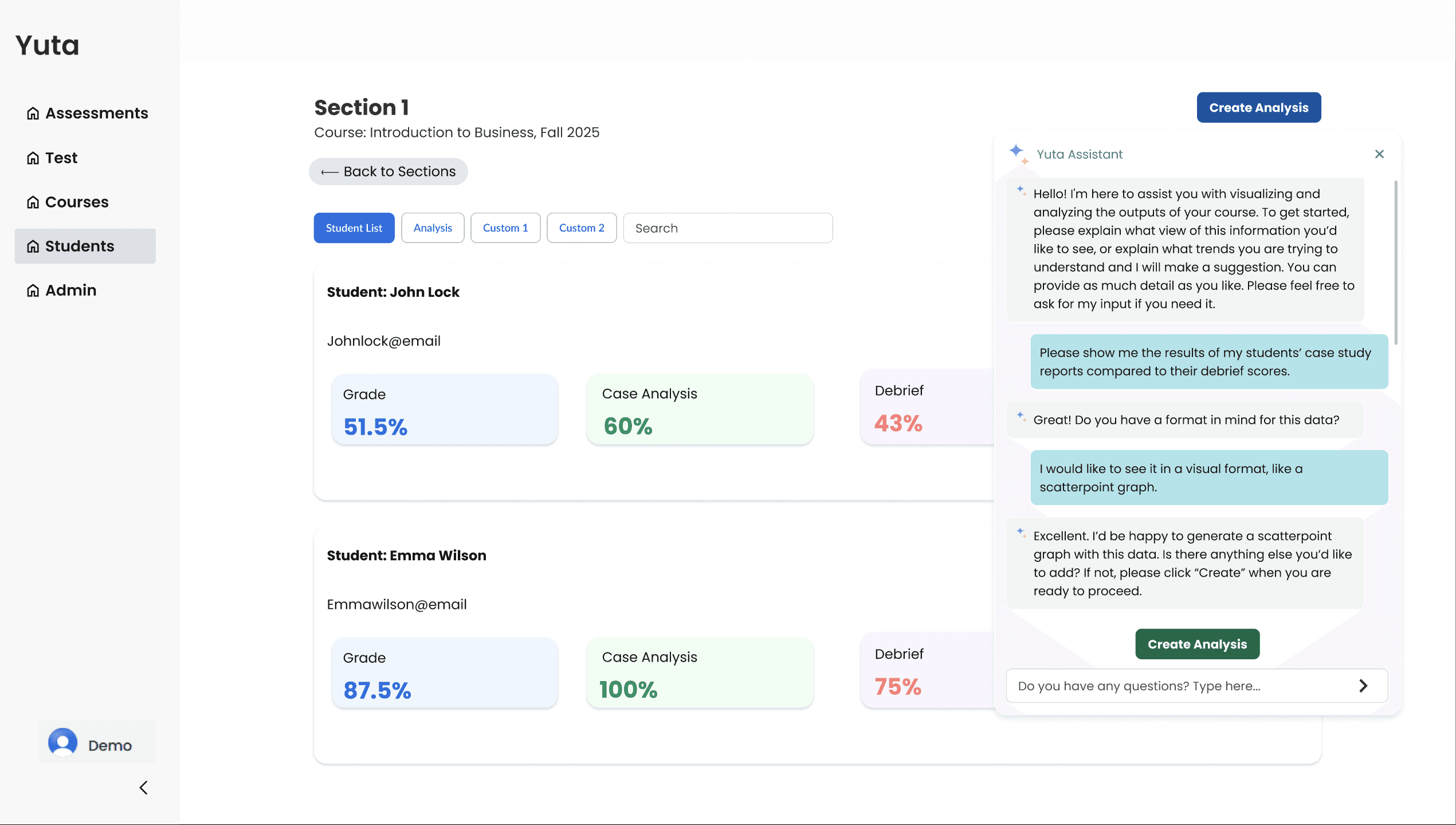
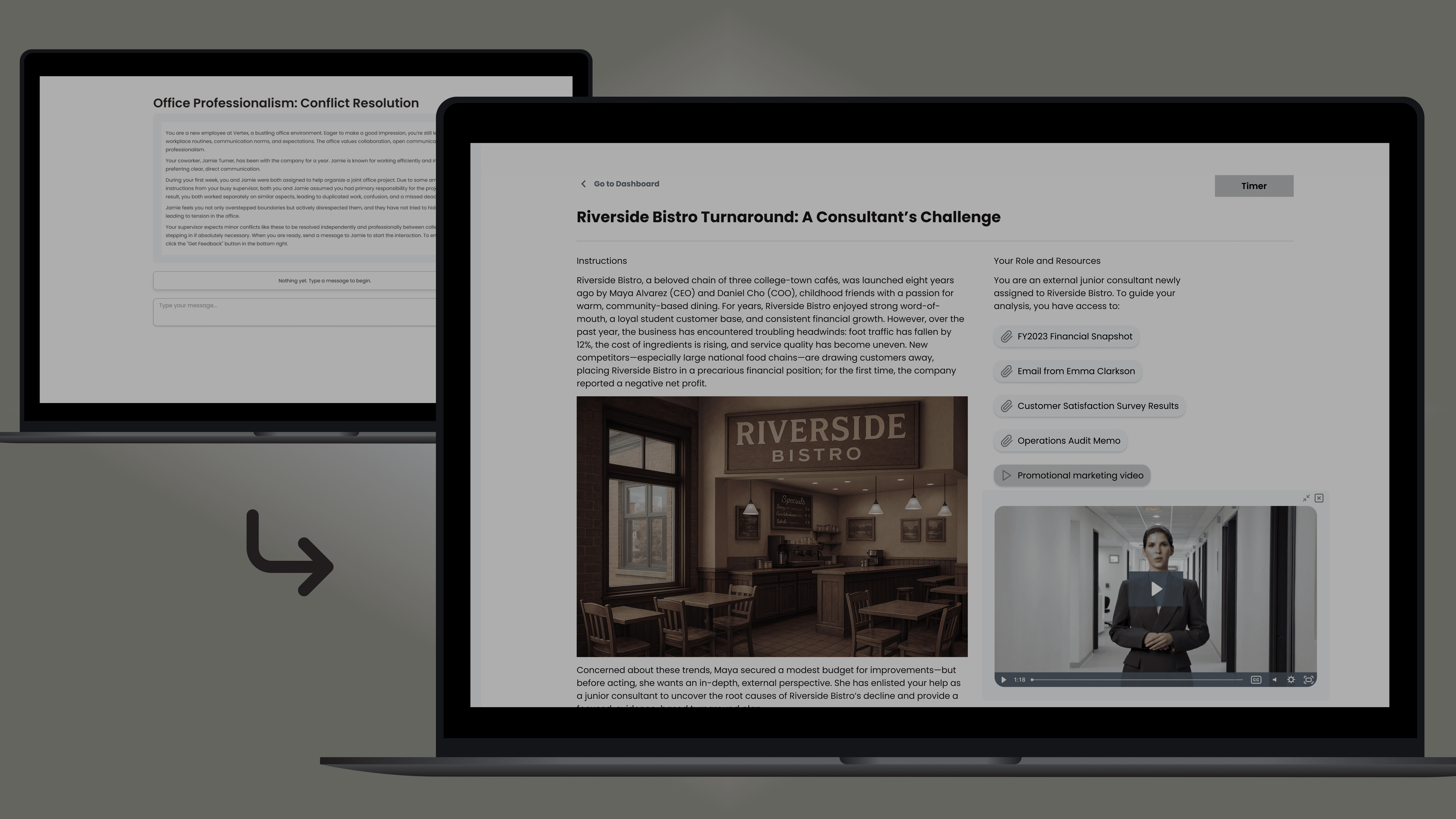
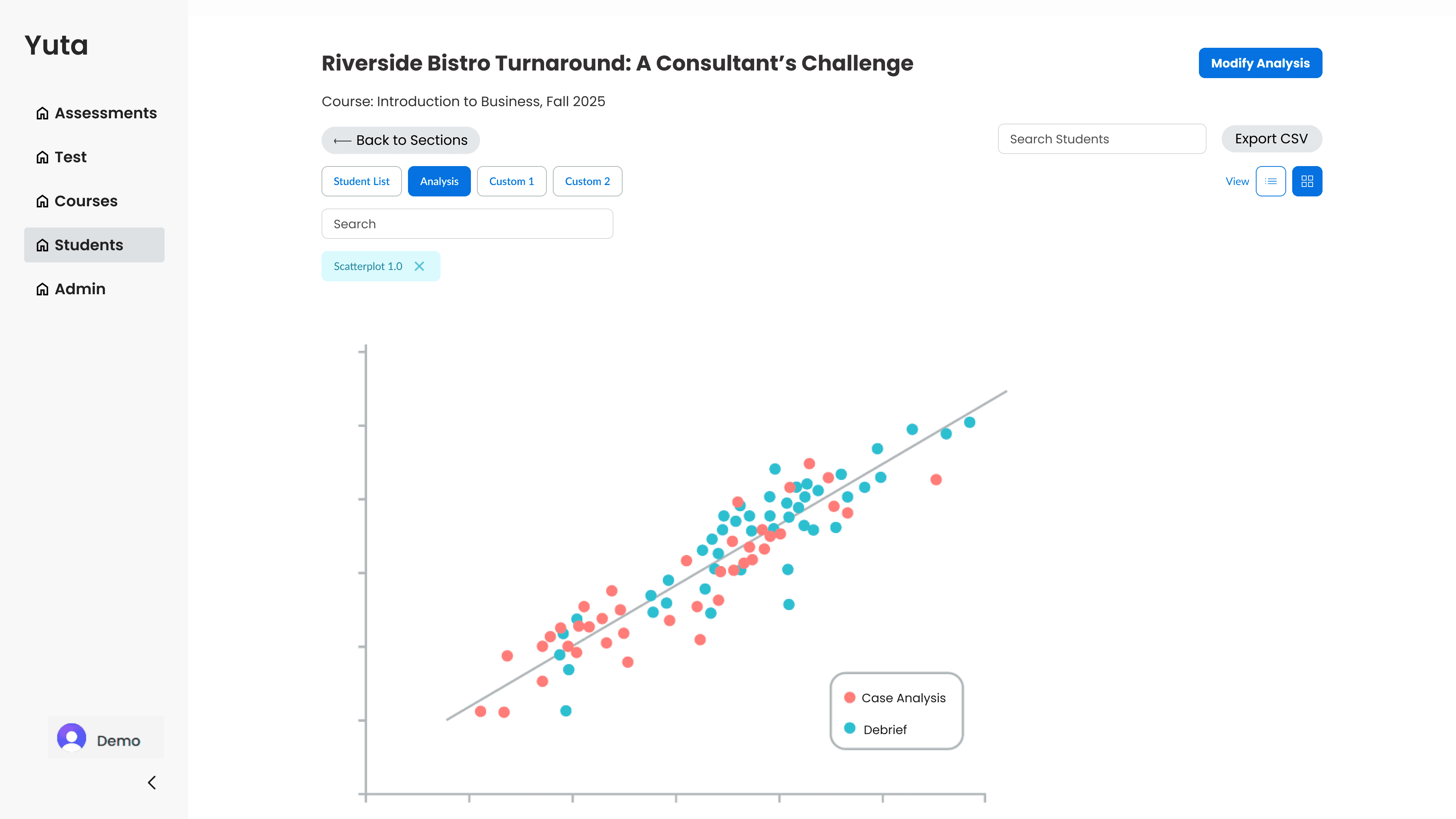
Before & After shows the AI feature with Yuta’s student page that analyzes students.
Heatmap is generated after giving instructions to AI.
Key Implementations:
AI chatbot is accessed through the “Create Analysis” and the button location is consistent with current Yuta designs.
Custom buttons depict the ability to save different “Analyses”. This allows users to revisit them later and also compare them with new analyses.
For the comparative analysis between case analysis and debrief, we employed a scatterplot graphic.
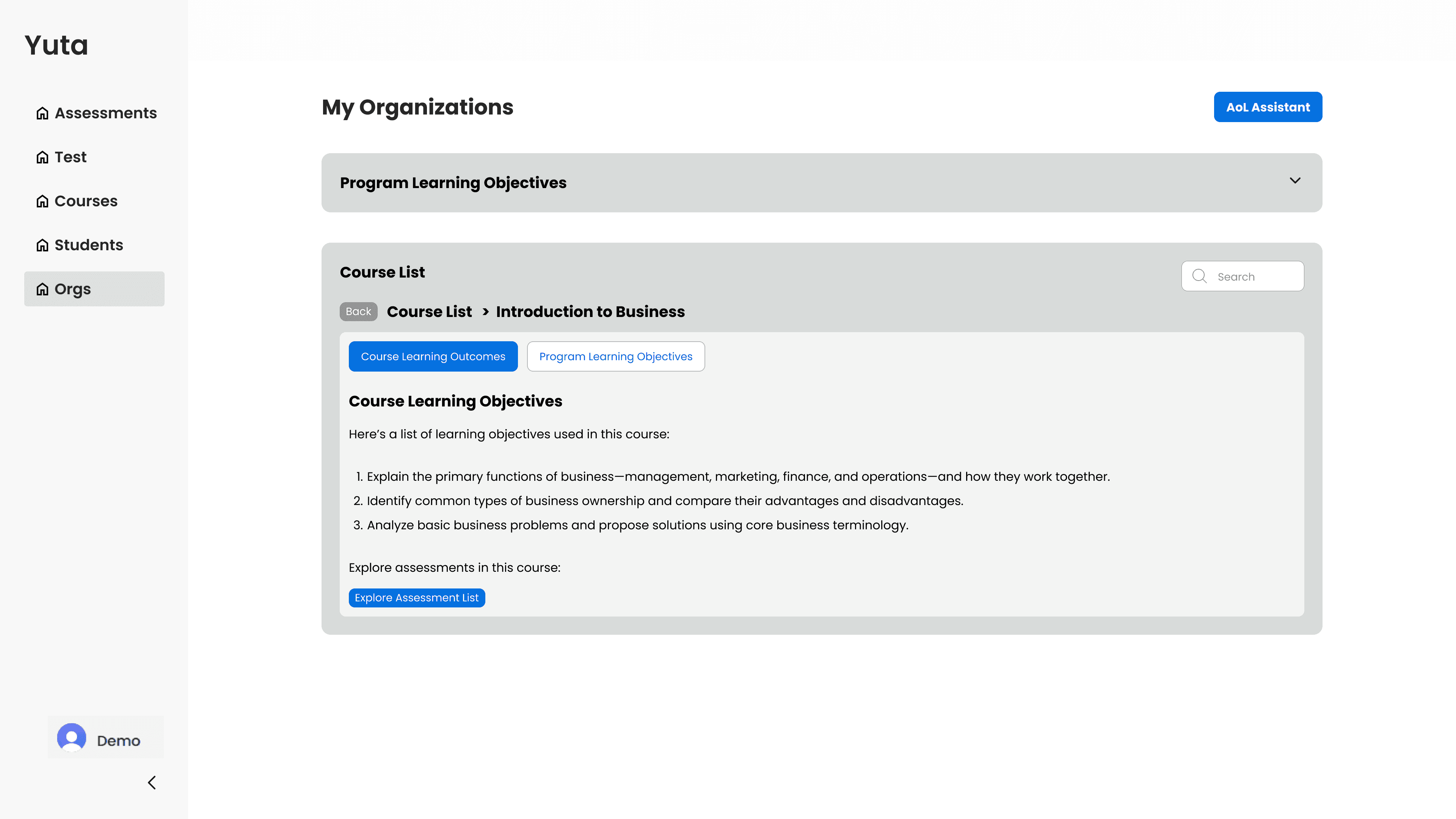
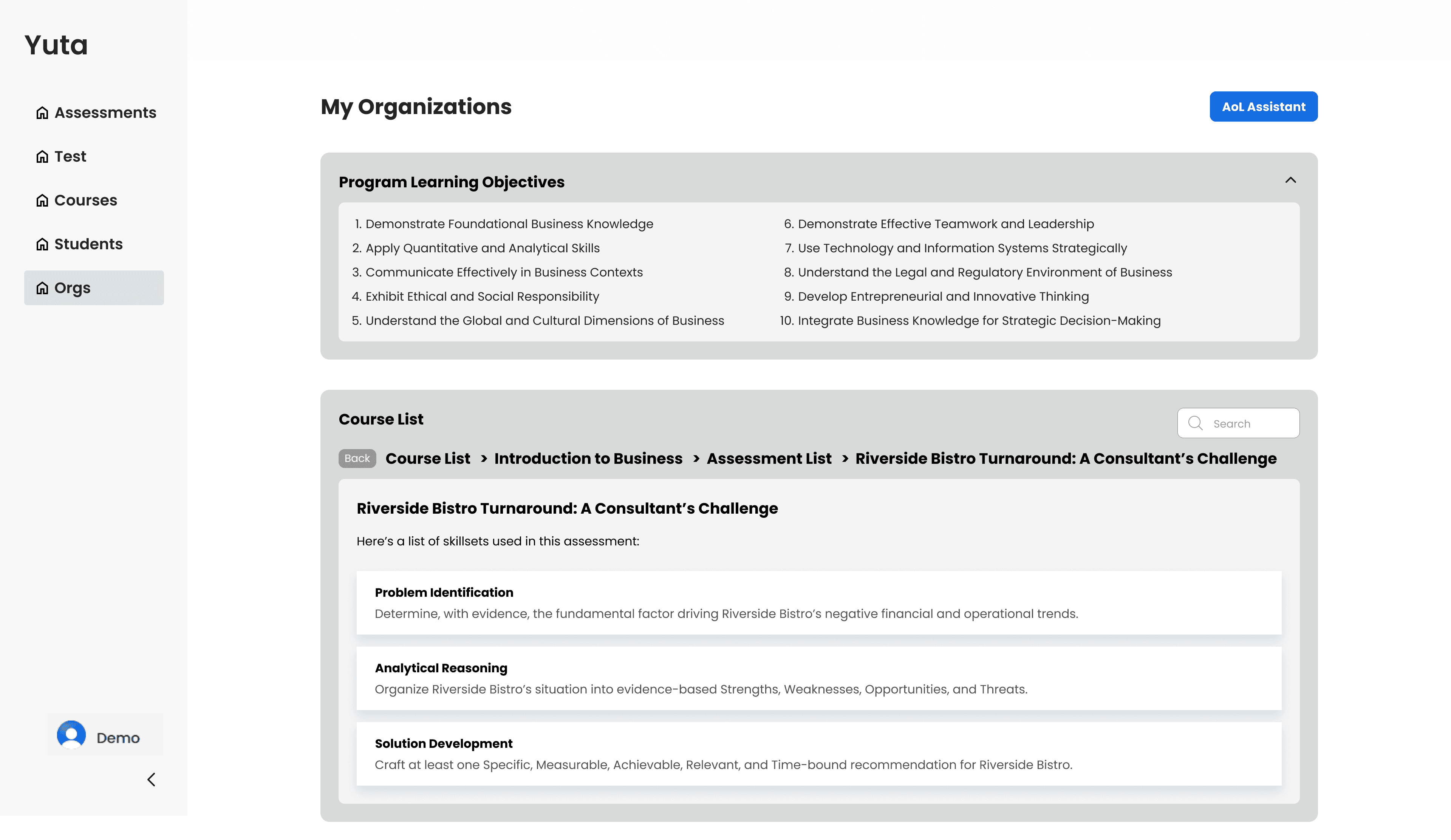
Key iteration changes only included color changes to better match Yuta’s current design systems and aesthetics.
As a vital bridge between academic theory and high-stakes product design, this project served as a pivotal opportunity to apply my UX Research background.
By architecting the project’ user flows, I sharpened my ability to:
Abstract Logic Synthesis: Mastered the strategic translation of complex, text-heavy business requirements into intuitive Information Architecture and functional user flows.
Strategic Research: Researched and architected suitable scalable data visualizations, ensuring that high-density organizational data remained intuitively accessible and actionable for Course Directors.
Stakeholder Alignment & Advocacy: Effectively articulated the strategic 'Why' behind design decisions during stakeholder workshops to ensure accuracy of the design.
Biggest Challenge
Bridging Abstract Requirements and
Functional Design
Since these features were brand new additions to the platform, our primary challenge was translating abstract business requirements into tangible user interfaces. With no visual references or legacy frameworks to follow, I had to architect a functional design language from scratch that could manage complex logic while remaining intuitive for the user.
The Solution
System Scalability
Design System Integration
User-Centric Research